Settings at a glance
Where every setting lives, and which ones only an owner can change.
Press Settings at the bottom of the menu. Most of it is set up once and left alone.
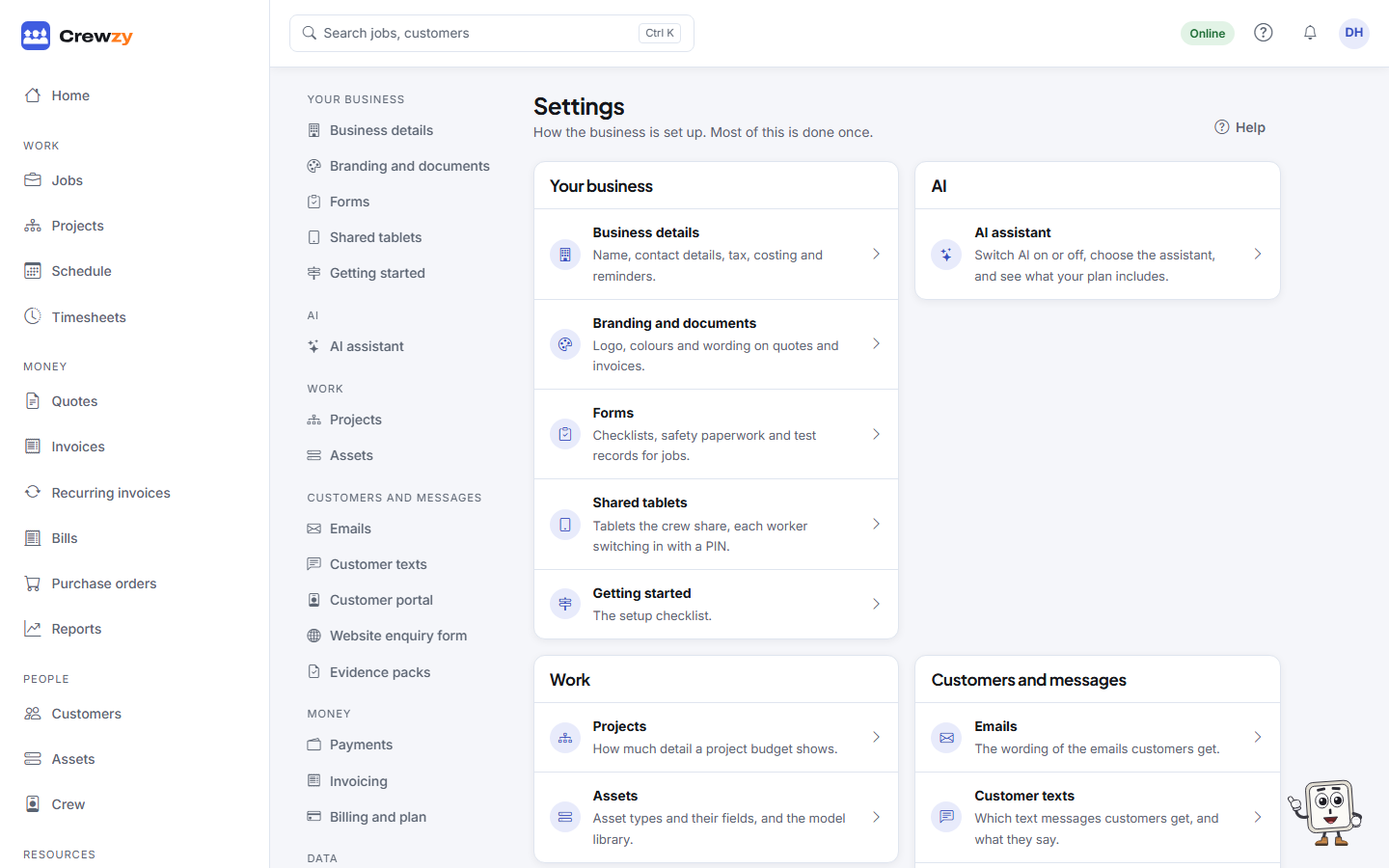
| Section | Page | What it is for |
|---|---|---|
| Your business | Business details | Name, contact details, tax, costing, reminders and the crew app |
| Branding and documents | Logo, colours and wording on quotes and invoices | |
| Forms | Checklists, safety paperwork and test records for jobs | |
| Getting started | The setup checklist | |
| AI | AI assistant | Switch AI on or off, choose the assistant, tours for new team members |
| Work | Projects | Detailed budgets and the notice period for variations (on plans with projects) |
| Customers and messages | Emails | The wording of the emails customers get |
| Customer texts | Which texts customers get, and what they say | |
| Customer portal | Each customer's own page of quotes, invoices and jobs, and what it shows | |
| Website enquiry form | A form for your website that turns enquiries into new jobs | |
| Evidence packs | Sending each finished job's evidence pack by itself | |
| Money | Payments | How customers pay an invoice online |
| Invoicing | The labour rate a job is invoiced at | |
| Billing and plan | Your plan and what it costs | |
| Data | Connections | Xero and the systems that send you jobs |
| Import | Bring in customers, sites, jobs, the price list and unpaid invoices, or switch from Tradify or ServiceM8 | |
| Export | A copy of every record the business holds | |
| Menu | Menu sections | Turn off the parts of the menu the business does not use |
On a computer, the list of settings stays down the side as you move between them. On a phone, All settings takes you back to the list.
Owner only
Only an owner can change the business details and tax, the crew, the plan, AI and the assistant, the customer portal settings, the projects settings and the menu sections, connect Xero, import a file, export everything, and close the business. The office can do the rest, and can see the plan without changing it.
Your own settings
Things that are yours rather than the business's, such as your notifications, your details, your calendar link and dark mode, are in the menu behind your initials at the top right. See Your profile, notifications and dark mode.