Your profile, details and dark mode
The menu behind your initials: your details, notifications, dark mode, the tour, another business and signing out.
Press your initials at the top right of the screen.
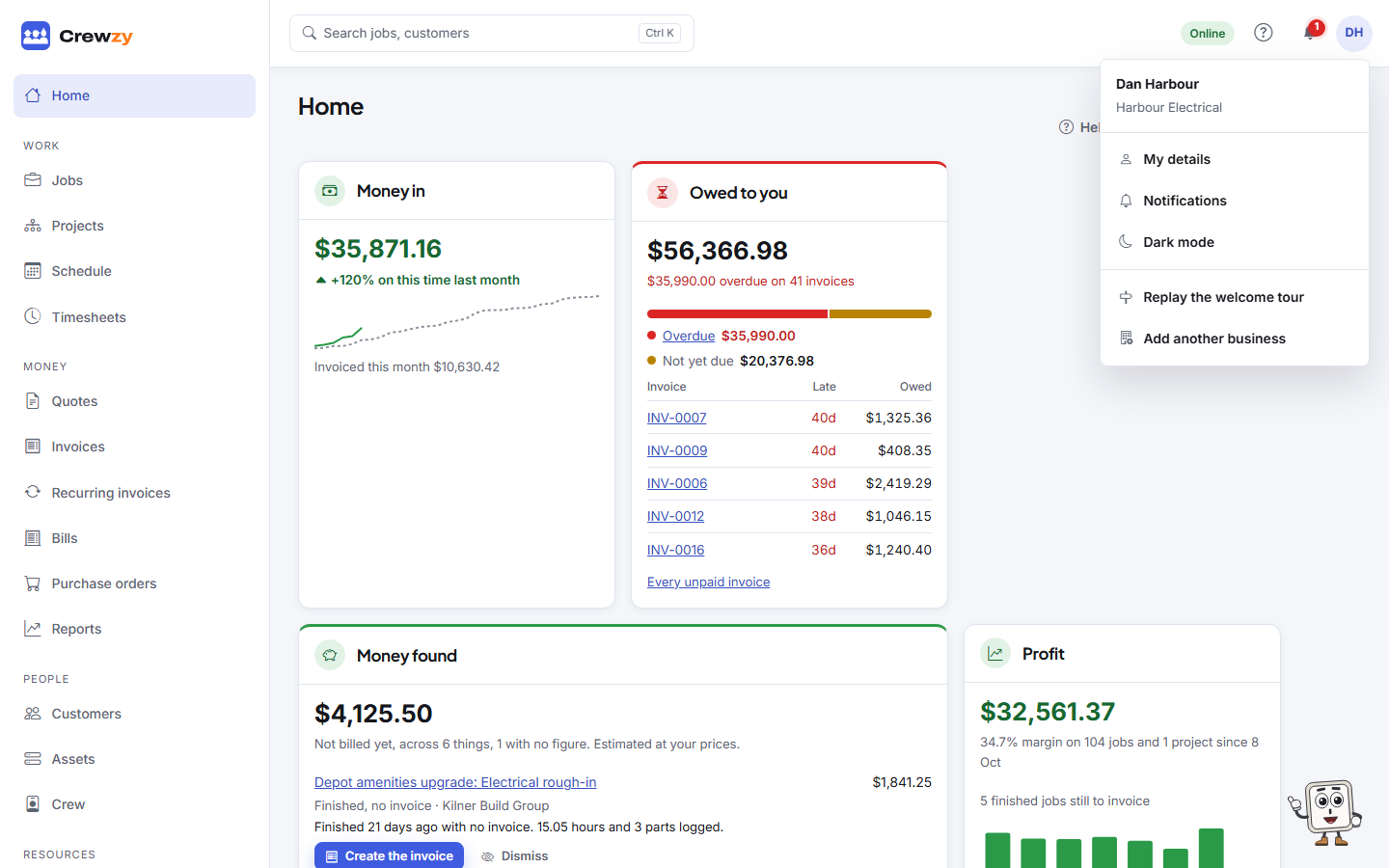
- My details: your name and phone number (press Edit my details to change them), the businesses you belong to, what your role can do, and your licences and tickets. Your email is how you sign in, so it cannot be changed here. Bookings in your calendar is here too: see Bookings in your phone's calendar.
- Notifications: what you are told about and how. See Your notifications.
- Dark mode or Light mode: switch the colours. It is remembered on this device.
- Replay the welcome tour: take the short walk around the app again. See Take the tour.
- Add another business: set up a second business under the same sign-in. Once you belong to more than one, pick which you are working in from the list beside your initials.
- Sign-in and security: change your password and how you sign in, and turn on two-step sign-in.
- Sign out.
Licences and tickets
Upload your own licences and tickets under My details, Licences and tickets, with their expiry dates. The office sees them on your crew record and can be reminded before they expire.