Switch from Tradify or ServiceM8
Bring your customers, price list, open jobs and the money customers still owe you across in one go.
Leaving Tradify or ServiceM8 does not mean starting from scratch. Export your records as CSV files, then drop them all into the switching guide together. Crewzy works out what each file holds and brings them in the right order.
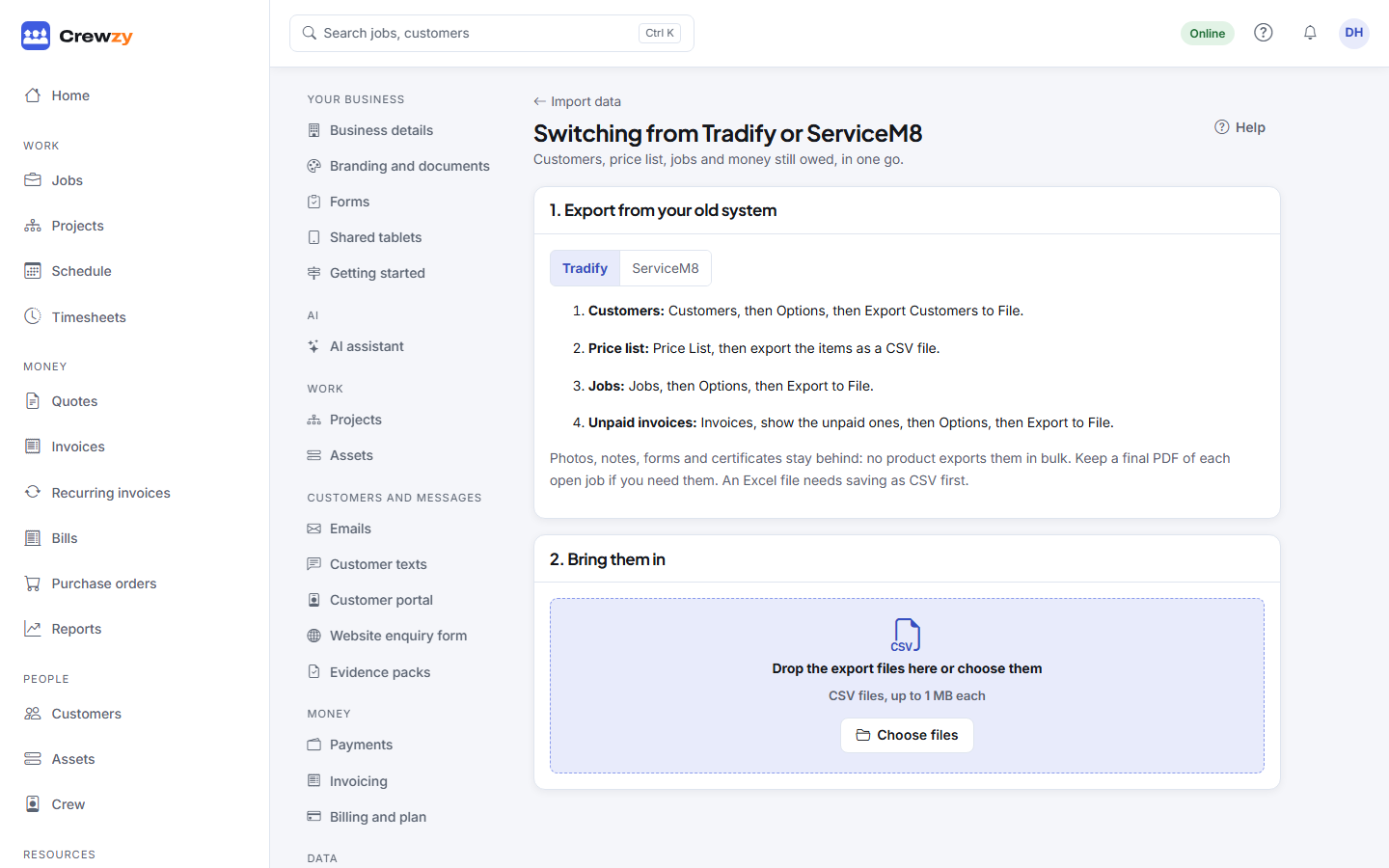
Open it from Settings, Import, Switching from Tradify or ServiceM8?, or from Getting started. You can also ask the assistant: Help me switch.
1. Export from your old system
The guide shows the steps for each product. In short:
| What | Tradify | ServiceM8 |
|---|---|---|
| Customers | Customers, Options, Export Customers to File | Reports, Client List, saved as CSV |
| Price list | Price List, export as CSV | Settings, Materials, Export Items |
| Jobs | Jobs, Options, Export to File | Reports, Job List, saved as CSV |
| Unpaid invoices | Invoices, show unpaid, Options, Export to File | From your accounting software: invoices awaiting payment, as CSV |
Photos, notes, forms and certificates stay behind, because neither product exports them in bulk. Keep a final PDF of any open job you need them for.
2. Bring them in
- Choose all the files at once.
- Each one shows what it looks like, for example "Looks like a Tradify customer export", and how many rows it has. If a file was recognised wrongly, change What is in it.
- Press Import. Customers go in first, then the price list, jobs and unpaid invoices, so each finds what it links to.
Only an owner can import. The office can look through the guide.
3. Check what came in
The guide lists what each file added, updated or skipped. If a file went wrong, Undo this file takes it back out. Undo works from the last file backwards, because later files can link to earlier ones.
Rows that need a look are listed on the Import screen, under the history.
Money customers still owe you
Each unpaid invoice comes in as a balance owed:
- It is numbered in your own invoice series, with its old number in the title, for example "Balance from Tradify, invoice INV-0412".
- Only the amount still owed comes across. An invoice already paid in full is left out.
- It shows in Owed to you and the overdue lists, and the customer can pay it online like any other invoice.
- It is already in your books from the old system, so it is not sent to Xero again, and neither are payments taken against it here. Record those payments in your accounting software too.
Good to know
- Importing the same file twice adds nothing new: records already brought across are recognised.
- Column names from each product have not all been confirmed against real exports yet. If a column is not picked up, use the Import screen for that file, where every column can be pointed at the right field.