Billing and your plan
The three plans, what each includes, and choosing, changing or cancelling yours.
Go to Settings, Billing and plan. The office can see the plan. Only an owner can change it.
The plans
One price for the business, with up to 20 active crew a month included on every plan.
| Base | Connected | Unlimited | |
|---|---|---|---|
| Jobs, quotes, invoices, timesheets and your books | Yes | Yes | Yes |
| Recurring invoices | Yes | Yes | Yes |
| New jobs a month | 50 | No limit | No limit |
| Office logins included | 1 | 3 | 10 |
| Active crew a month included | Up to 20 | Up to 20 | Up to 20 |
| Each active worker above 20, up to 50 | $10 a month | $10 a month | $10 a month |
| Head contractor connections included | None | 1 | As many as you like |
| AI drafts | 20 a month | Included | Included |
| Text parts to customers a month | 50 | 200 | 500 |
| Projects, with stages, budgets and variations | No | Up to 5 active | No limit |
| Progress claims and retention | No | Yes | Yes |
| The asset register | No | No | Yes |
| Service plans, unit results, defects, labels, site reports, site plans and service agreements | No | No | Yes |
| Help assistant | Yes | Yes | Yes |
| Hide "Sent with Crewzy" | No | No | Yes |
Prices for your country are shown on each plan, with the GST they include. Paying yearly costs ten months' worth.
The free trial has everything Unlimited has, apart from hiding "Sent with Crewzy", so you can try projects, claims and the asset register before you choose. On the trial texts stop at 200 parts a month.
Your plan
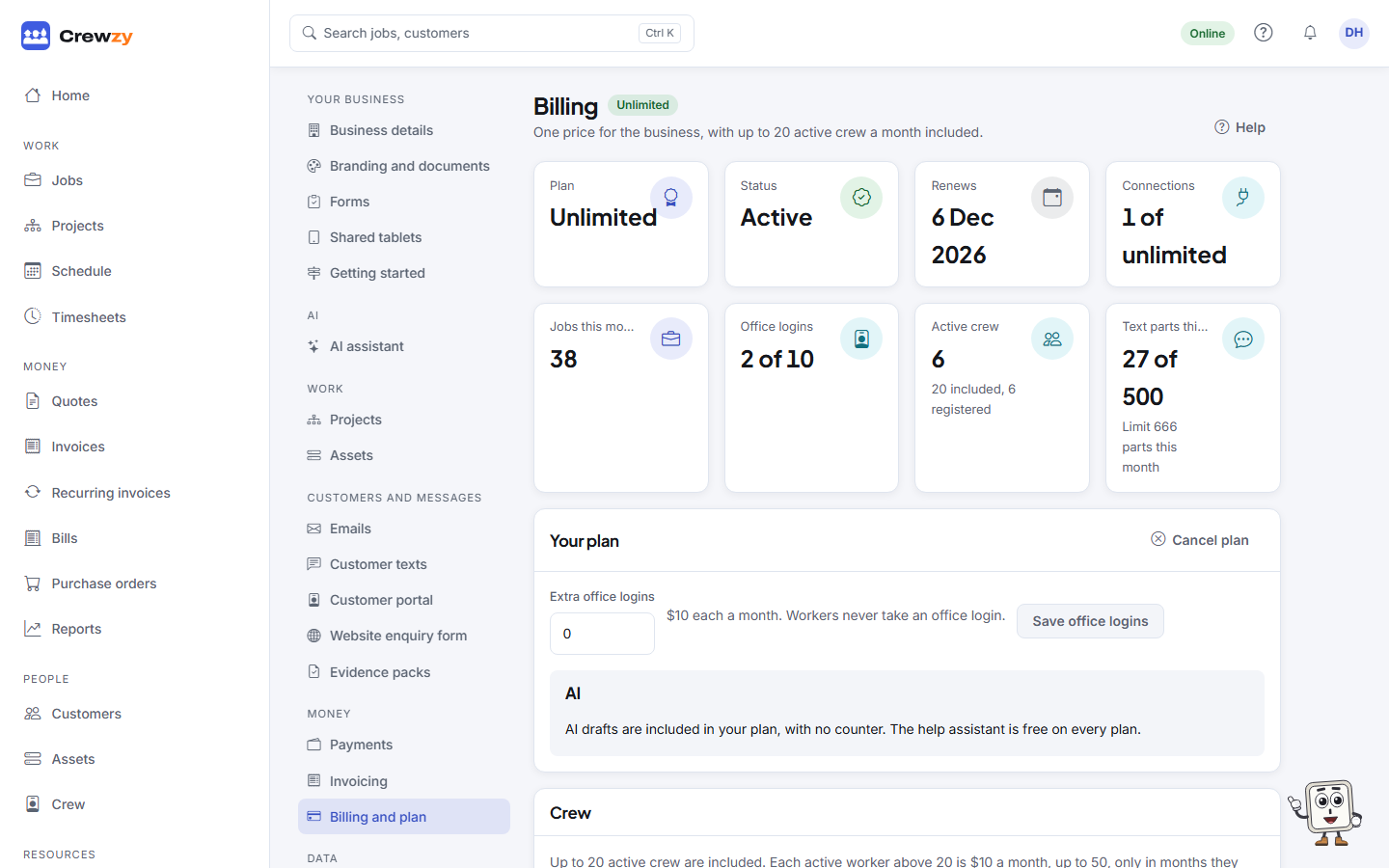
The tiles across the top show your Plan, its Status, the day it renews (or the day the trial ends), and what is used of it: connections, jobs this month, office logins, Active crew this month and Text parts this month, out of what your plan includes. History lists what you have paid, with a receipt for each.
On a paid plan, the Your plan box is where an owner adds Extra office logins or Extra work giver connections past what the plan includes, priced beside each. Press Save office logins or Save connections.
Crew
The Crew box says what is included and what this month comes to: how many crew have clocked on or been booked on a job this month, how many of them are above the 20 included, and the charge so far. Below that is last month's count and what was charged for it. A warning shows once more than 20 have worked this month, and again when 45 or more are on the crew list, because a self-serve plan takes up to 50.
Extra crew are counted when each month ends where your business is, and charged then: on a monthly plan the charge goes on your next invoice, and on a yearly plan it is a small invoice of its own. It shows in History. Nothing is charged for extra crew on the free trial. See Do I pay for each worker?.
Texts
Each plan includes text parts every month. Texts above that are 12c a part (15c in New Zealand), GST included, up to the monthly limit the owner sets under Settings, Customer texts. They are counted when each month ends where your business is, and charged then, the same way as extra crew, and show in History. See Customer texts.
AI
On Connected and Unlimited, AI drafts are included with no counter, under a fair-use limit that rises by 150 actions for each extra active worker you pay for that month. On Base, the AI drafts box shows how many of the month's 20 are used and left. The help assistant is free and never counts. See AI assistant.
Choose or change a plan
- Under Plans, pick Monthly or Yearly, two months free.
- Press Choose on the plan you want, such as Choose Connected, and pay by card.
While founding places are left, paying yearly keeps that price for life, for as long as the subscription runs unbroken.
Every new business starts on a 30-day trial with everything turned on, and no card is needed to start.
Cancel your plan
- In Your plan, press Cancel plan.
- Read when it ends and press Yes, cancel. Keep my plan backs out.
Everything keeps working until the end of the period you have paid for. After that the app stops until a plan is chosen again, and you can still download everything from Settings, Export. To stop for good and have your records deleted, see Close your business.
If a payment fails
You have 14 days to update your card before the business is locked. A trial that ends without a plan locks straight away. A locked business can still open Billing and plan and download its data. See Locked out.