Your logo, colours and invoice wording
Make quotes and invoices look like yours, and set how customers pay you.
Go to Settings, Branding and documents. The preview on the right shows a quote or invoice as your customer sees it, and changes as you go.
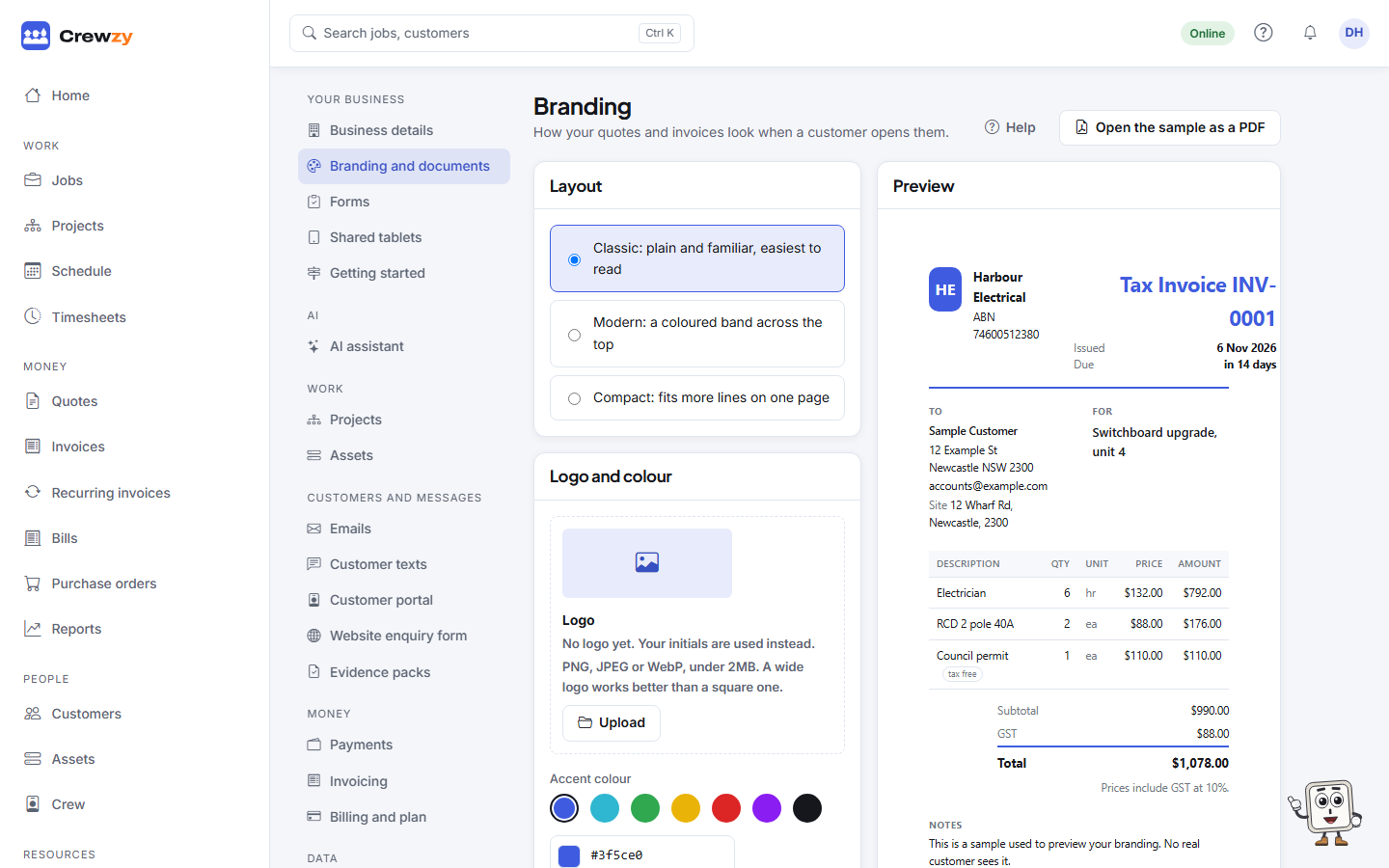
Logo and colour
- Upload your logo: PNG, JPEG or WebP, under 2 MB. A wide logo works better than a square one. Until you add one, your initials are used.
- Pick an Accent colour, or type its colour code. It is used for headings and lines on your paperwork and on the customer's quote and pay pages.
Layout
Choose one of the three layouts: classic, modern or compact. It changes how quotes and invoices are laid out, not what is on them.
Wording
| Field | What it is for |
|---|---|
| How to pay | Your bank details and anything else about paying. Printed on every invoice and shown on the pay link as the bank transfer option |
| Terms | Your standard terms and conditions |
| Footer | A line at the bottom of every page, such as your licence number |
Filling in both How to pay and Terms completes the "How customers pay you" step on the setup checklist.