Set up your forms
Checklists, safety paperwork and test records, made from a ready-made form or from scratch.
Forms are the paperwork your crew fill in on the job: a Take 5 before starting, a SWMS for high-risk work, an electrical test record, a test and tag register, a job completion sign-off. Once a form is done, a PDF of it is filed with the job.
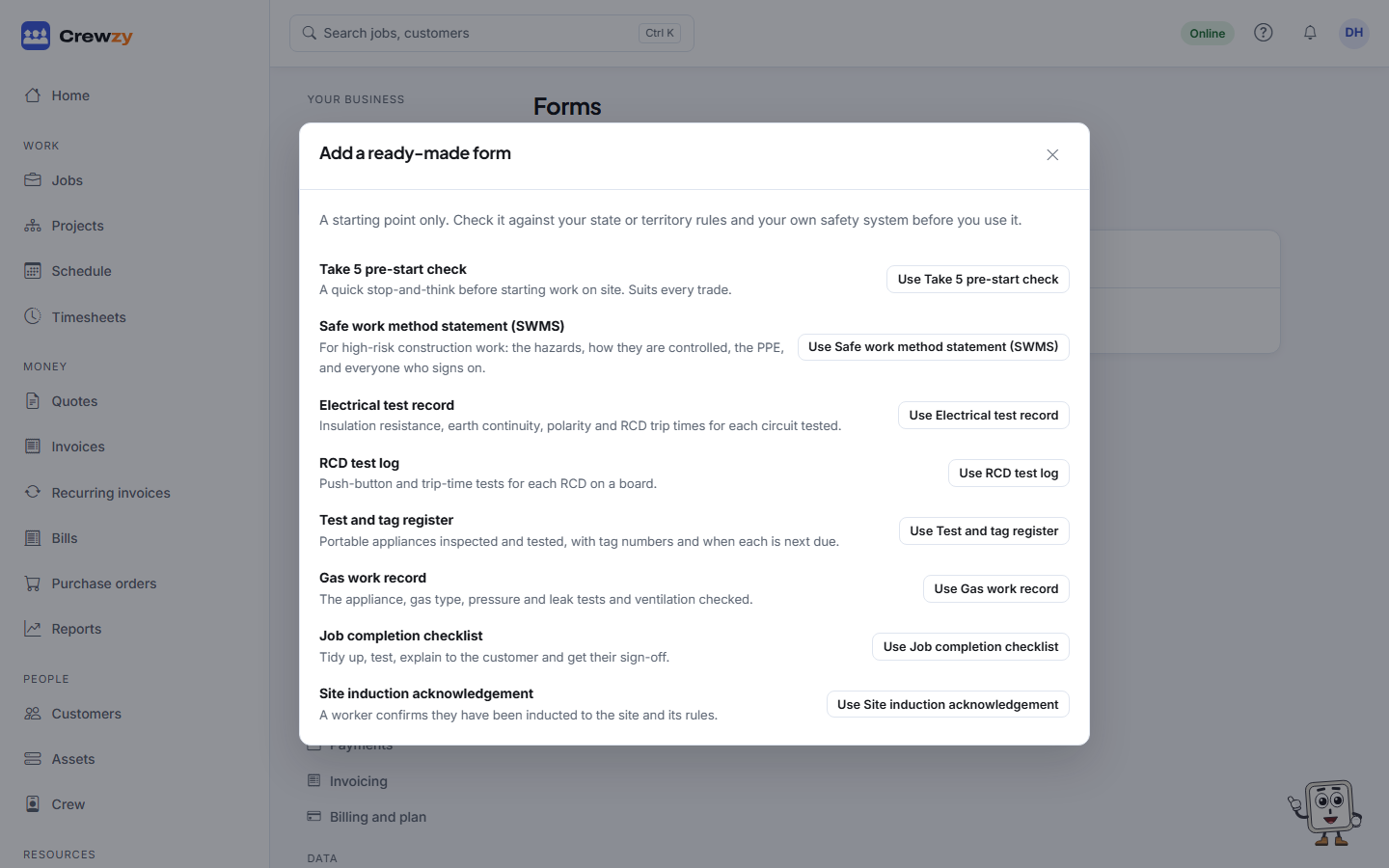
Start from a ready-made form
Go to Settings, Forms, and press Add a ready-made form. Press Use on the one you want, such as Use Take 5 pre-start check, and it becomes your own copy to change. To build your own from nothing, press Start from blank instead.
The ready-made forms are starting points, not legal documents. Check each one against your state or territory rules and your own safety system before you use it.
They are test records and checklists, not official certificates. A Certificate of Compliance for Electrical Work, or a gas compliance certificate, is still lodged on the regulator's own form or portal. Your form is the record behind it.
Change the questions
Open a form to change it. Each question has:
- The question and any help shown under it.
- Needs an answer, so it cannot be submitted without one.
- Only show when, to show a question only after another is answered a certain way. For example, ask "What needs to happen first?" only when "Safe to start" is answered No.
Add questions at the bottom: short and long answers, numbers with a unit, Yes/No/N/A, pick one, tick boxes, date and time, photos, signatures, a table of rows (one per circuit or appliance), and hazards with their risk before and after the control.
Press Save form. Saving makes a new version: forms already on jobs keep the version they were given, so nothing changes under the crew's feet.
When a form is used
- Must be done before the job can be finished: the job cannot be finished until it is submitted. The office can still finish it, with a reason that is kept on the job.
- Put it on every new job: it is added to each job by itself.
- Email the finished form to the customer: the PDF goes to the customer when the form is submitted. Change the wording under Settings, Emails.
Only the office and the owner can set up forms.