Business details, tax and reminders
Your details on every quote and invoice, how GST is charged, costing, reminders and clock on locations.
Go to Settings, Business details. Only an owner can change the details and tax. The rest saves as soon as you change it.
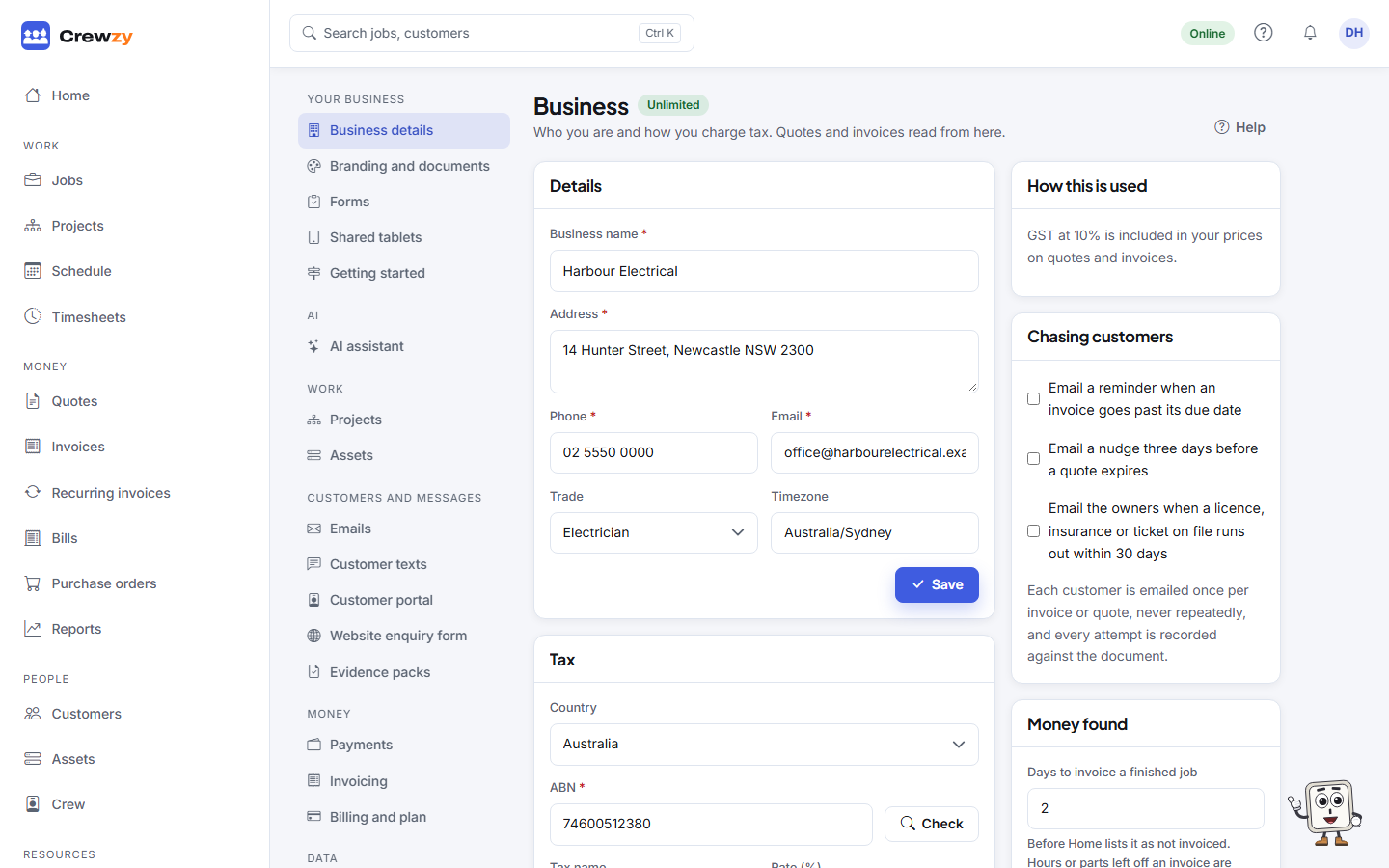
Details
The Business name, Address, Phone and Email printed at the top of every quote and invoice, your Trade, Country and Timezone. The timezone decides when reminders and recurring invoices go out, and what counts as "today".
Tax
- Your ABN (or your country's business number) and whether you are Registered for GST.
- The Tax name and Rate, set for your country.
- Prices you enter: whether the prices you type include GST or not.
In Australia, the ABN is checked against the Australian Business Register, which confirms the legal name and GST registration. In New Zealand, the GST (IRD) number is checked for typos, and GST is charged at 15%.
Costing
Owner only. The Default cost per hour is what an hour of labour costs you, with super and on-costs, for anyone without their own cost rate. It is used to work out each job's profit. See Job costing and profit by job.
Chasing customers
Each is off until you tick it:
- Email a reminder when an invoice goes past its due date
- Email a nudge three days before a quote expires
- Email the owners when a licence, insurance or ticket on file runs out within 30 days
Each customer is emailed once per invoice or quote, never repeatedly, and every attempt is recorded against the document.
Crew app
Record roughly where each worker is when they clock on or off. A rough location, taken only at that moment and only if the worker allows it on their phone. It is not tracking: nothing is recorded in between. Tell your workers in writing before you turn it on; the rules differ by state, and NSW, for one, needs written notice first. Copy the notice gives you one to send. See The crew app, for the office.
Support access
Support access lists each time our support team looked at your business, who it was and why. Each look is read only, with a reason given, and ends after 30 minutes. Owners get a notification when it happens.
Closing the business
The owner can close the business from here or from Billing and plan. See Close your business.