Your notifications
The bell, what you are told about, and whether it comes in the app, by email or to your phone.
The bell
The bell is at the top right of every office screen, beside your initials. A number on it shows how many notifications you have not read.
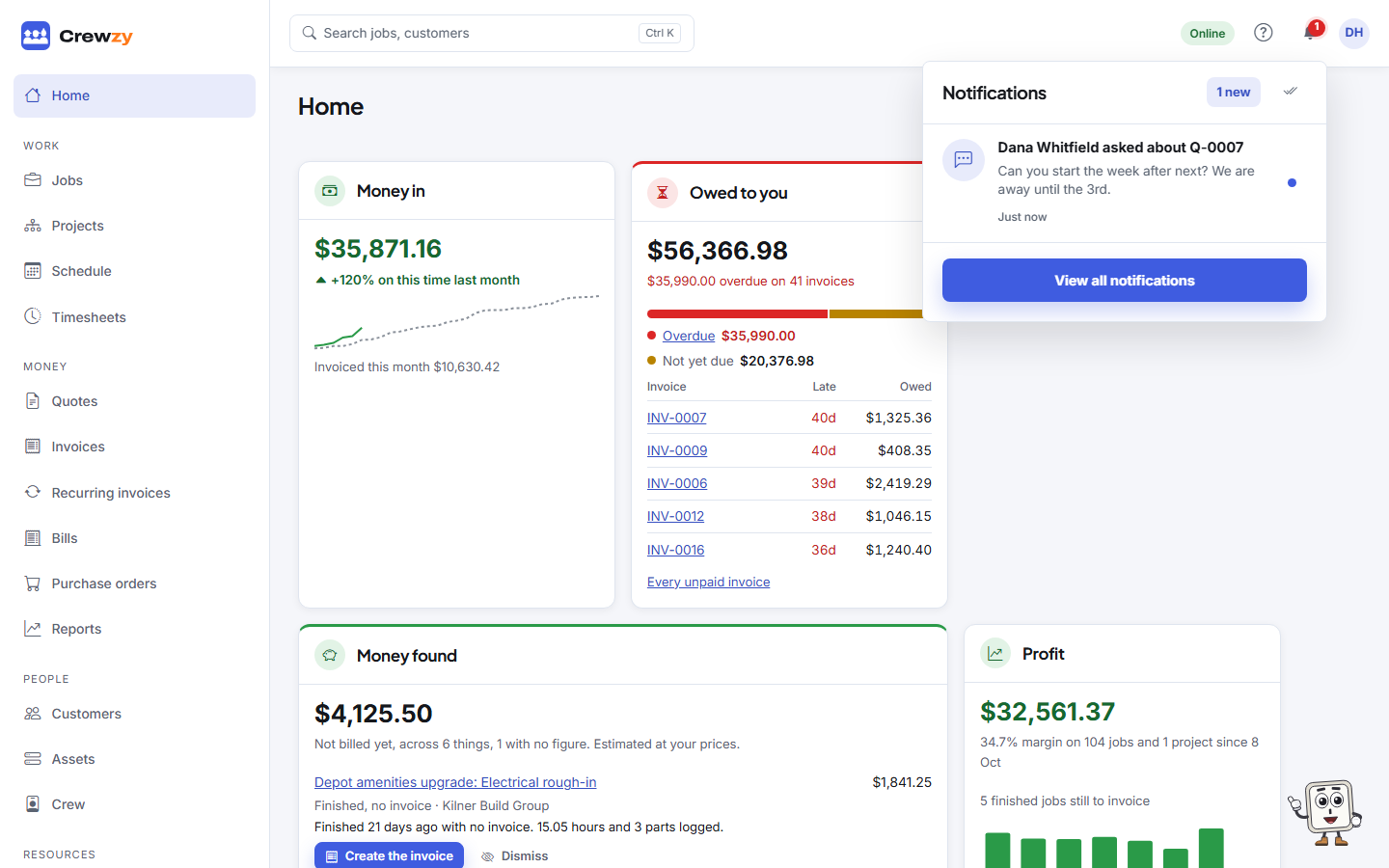
- Press the bell to see the latest.
- Press a notification to open what it is about, such as the quote or job. That marks it read.
- Press the dot beside one to mark it read without opening it, or the double tick at the top to mark them all read.
- Press View all notifications for the full list.
Notifications arrive as they happen, without refreshing the page.
The Notifications page
The Notifications page lists the latest 100, with a dot beside each one you have not read and Mark all read at the top. Read notifications are cleared after 90 days.
Choose what you are told
Press Choose what you are told on the Notifications page, or open the menu behind your initials at the top right and choose Notifications. The choices are yours alone and do not change anyone else's.
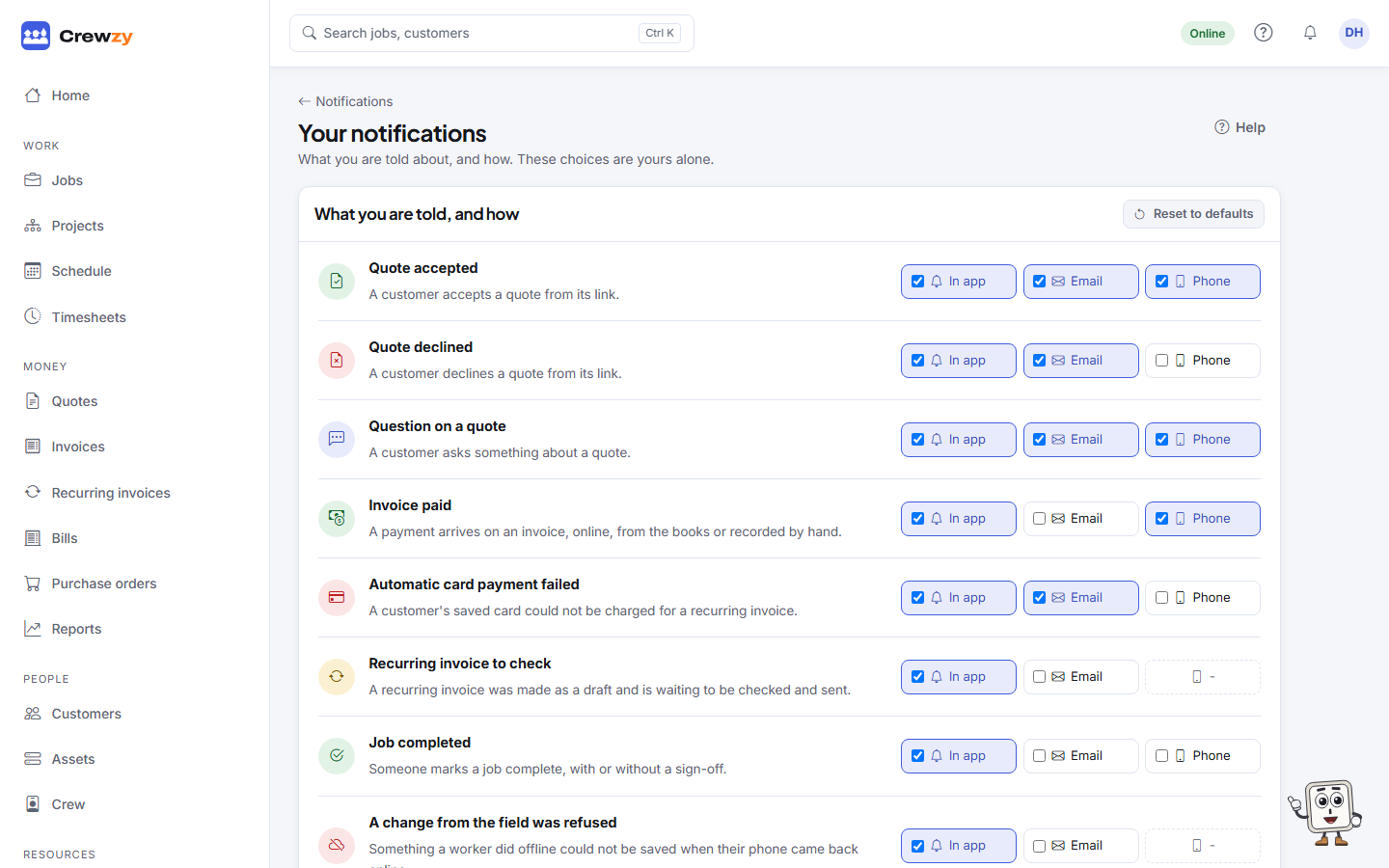
For each kind your role can get, tick In app, Email or Phone, or none of them. A dash means that kind is not sent that way. Reset to defaults puts them all back to your role's defaults.
Phone reaches each phone or browser where you have turned notifications on, under My details, This phone.
What you can be told about
- Quotes: accepted, declined, or a question asked
- Money: an invoice paid, an automatic card payment that failed, a recurring invoice waiting as a draft (owners)
- Jobs: a job completed, a job sheet draft ready to check, a supplier docket from the crew, a change from the field that was refused
- Your books and head contractors: something that did not go through, and new work from a head contractor
- Customers: texting back, texting STOP, asking to change their details from their portal, and a new website enquiry
- Texts: this month's texts at 80% of the monthly limit (owners), and texts stopped because the limit is reached. See Customer texts
- Projects: a variation raised from site, a claim day, a payment schedule or claim payment overdue, and retention coming due for release
- Notes: a follow-up you set coming due. See Notes and follow-ups
- Documents about to expire
- Evidence packs sent automatically, or one that could not be sent
- Imports you ran finishing
- Support looking at your business (owners)
Workers
Workers have no bell. They are told on their phone when the office gives them a job: they press Turn on beside New job notifications under My Details, This phone. See Put the app on your phone.