Something did not reach Xero or a head contractor
Find what did not go through, see why, and send it again.
Invoices, payments, time and claims are sent in the background. If one cannot go, it waits for you with the reason. You will see it:
- on the record itself: an invoice, credit note or supplier bill says so under its title
- on Home, under Needs attention
- on Work, Jobs, as a red sync issues count
- as a notification, if you have that turned on. Pressing it opens the record
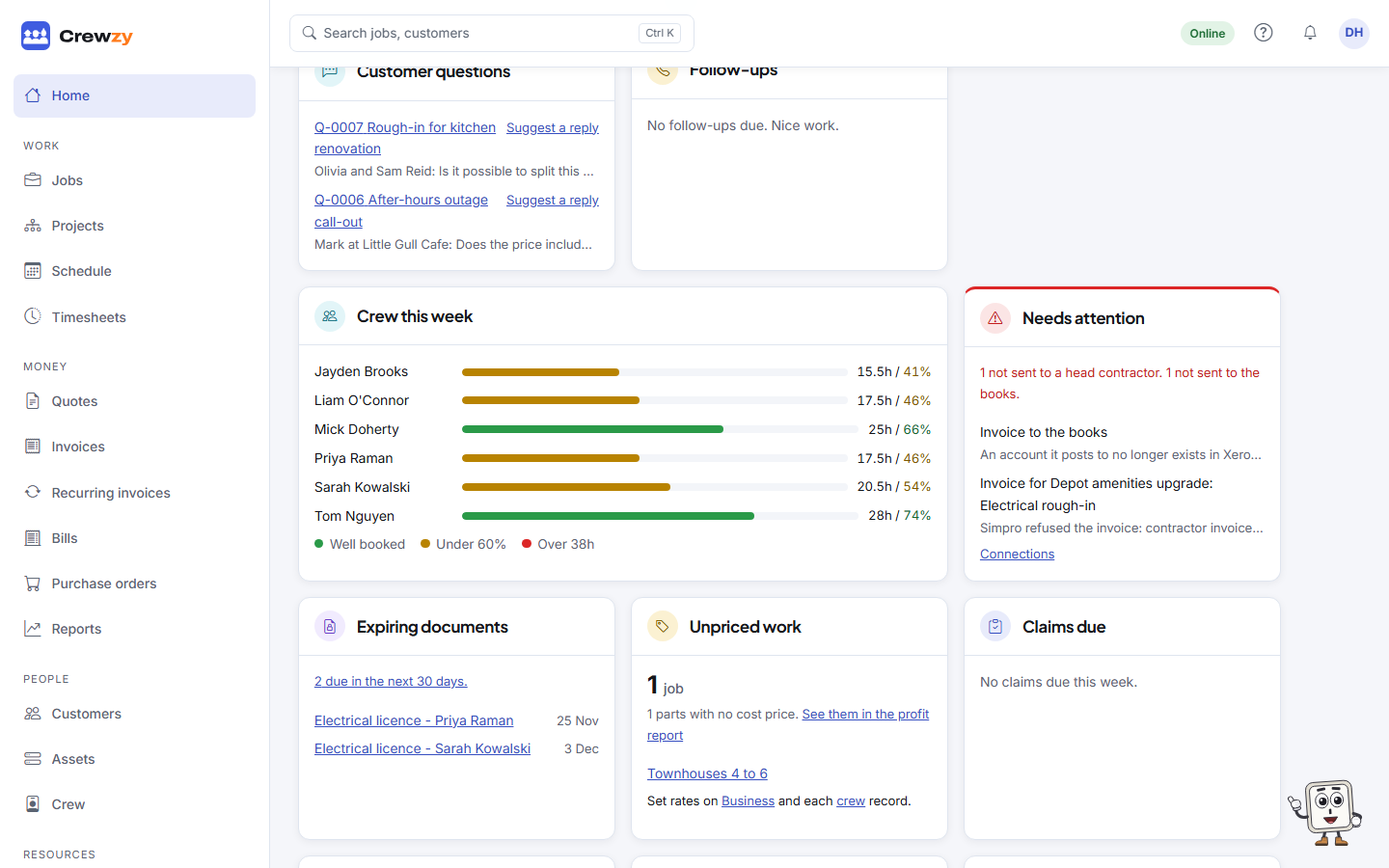
Xero
Every invoice, credit note and supplier bill says where it stands with Xero, on a line under its title. Payments say it under their reference on the invoice.
- In Xero: INV-0042, sent 16 Oct, 10:38 am: it is in your books, under that number.
- Waiting to send to Xero: it goes within a minute or so. Nothing to do.
- Couldn't send to Xero, with the reason and Try again: it needs you. The reason says what to do.
Nothing shows on a draft, or when Xero is not connected.
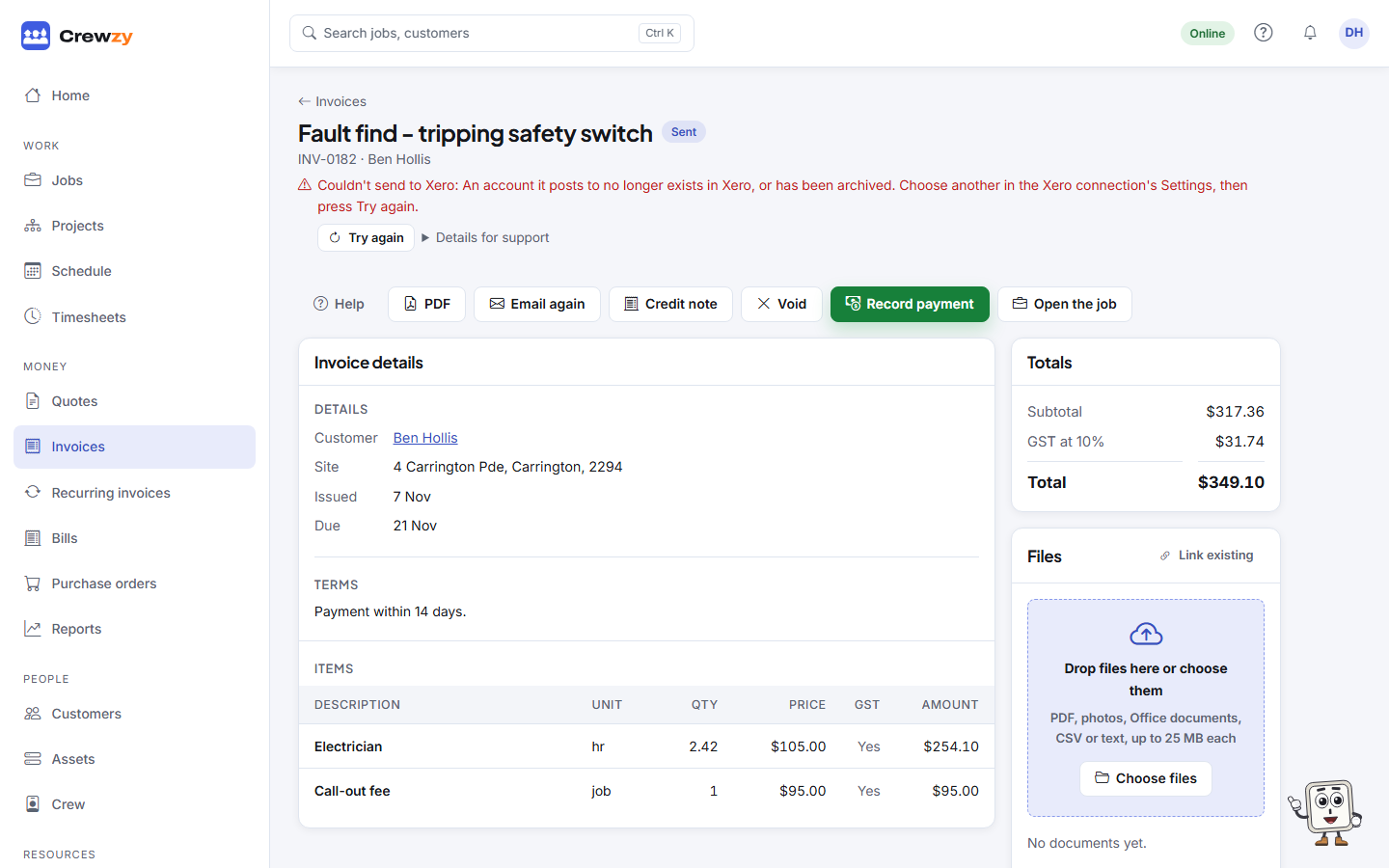
The Invoices and Supplier bills lists mark a record that couldn't be sent with a red warning sign beside its status.
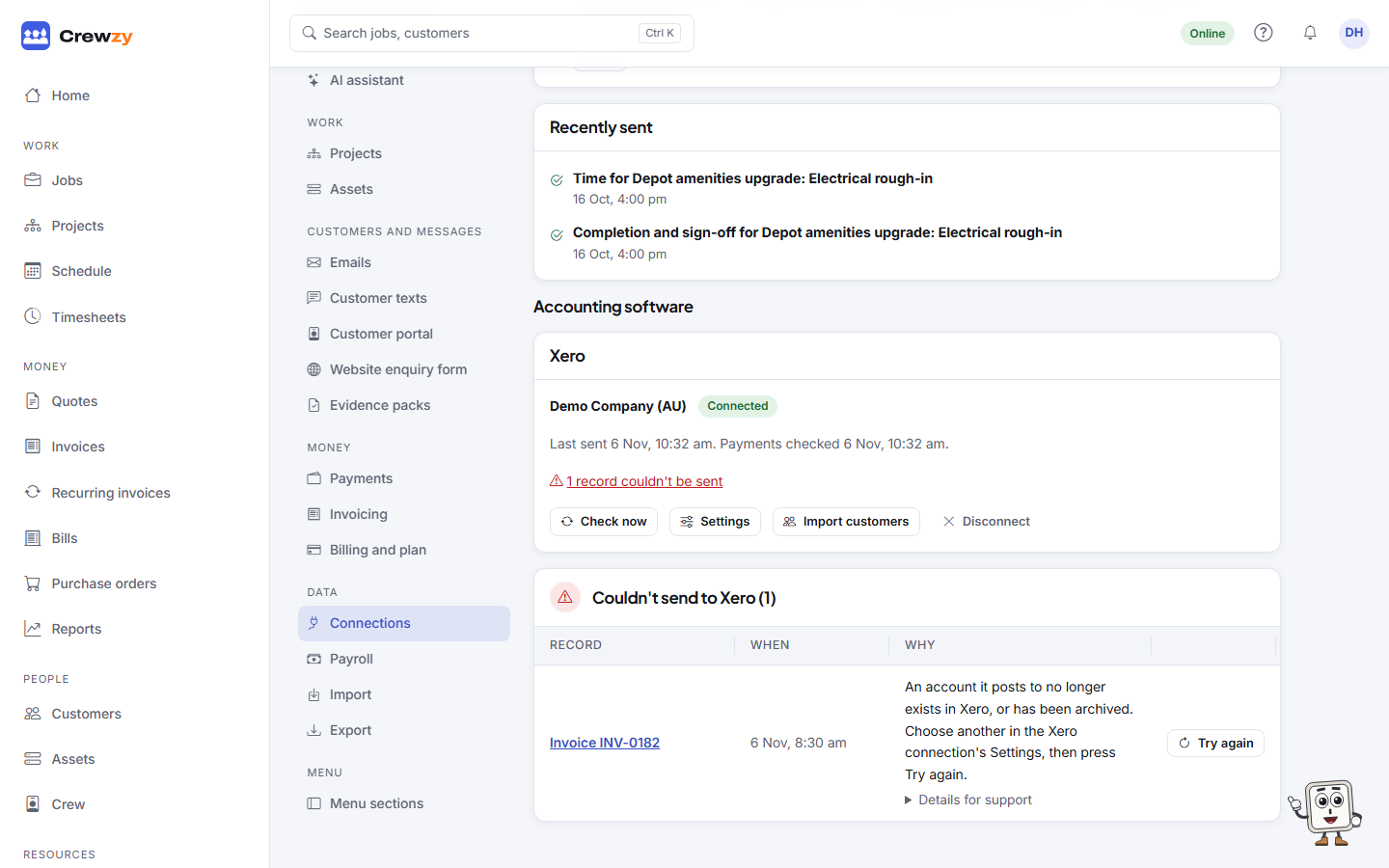
Everything that couldn't be sent is also listed on Settings, Connections, under Couldn't send to Xero, with the record, when it happened and why. The Xero card above it counts them. Press the record to open it.
Common reasons, and what to do:
- The connection has expired. One banner at the top of the list says to sign in to Xero again, rather than a row for every record. Press Disconnect, then Connect Xero and sign in, and check its Settings. Everything that was waiting then goes by itself.
- An account it posts to no longer exists, or a tax rate cannot be used. Press Settings on the Xero connection and pick another.
- Xero added it up to a different total. The invoice's tax did not add up the same way in your books, so it was held back rather than filed wrong. Check the tax rates in the connection's Settings.
- The customer or supplier has been archived in Xero. Restore the contact in Xero.
- Xero was busy or could not be reached. Nothing is wrong with the record. It is tried again by itself, or press Try again.
- Xero would not accept it, followed by what Xero said, such as an email address that is not valid. Correct the record here.
Fix the cause, then press Try again on the record or on its row. With several waiting, Try them all again at the top of the screen sends them all.
Details for support under the reason shows exactly what Xero said. You do not need it, but pass it on if you contact support.
A head contractor
On the same screen, under the head contractor's connection:
- Sync issues lists anything that did not reach their Simpro. Press Retry, or Retry all.
- To talk to the work giver about lists jobs they cancelled after you had started. These need a conversation, not a button.