Connect a head contractor
Take work orders from a head contractor's Simpro straight onto your board, and send time and sign-off back.
If you do work for a head contractor who runs Simpro, their approved work orders can arrive as jobs on your board, with your time, sign-off and claims going back to them.
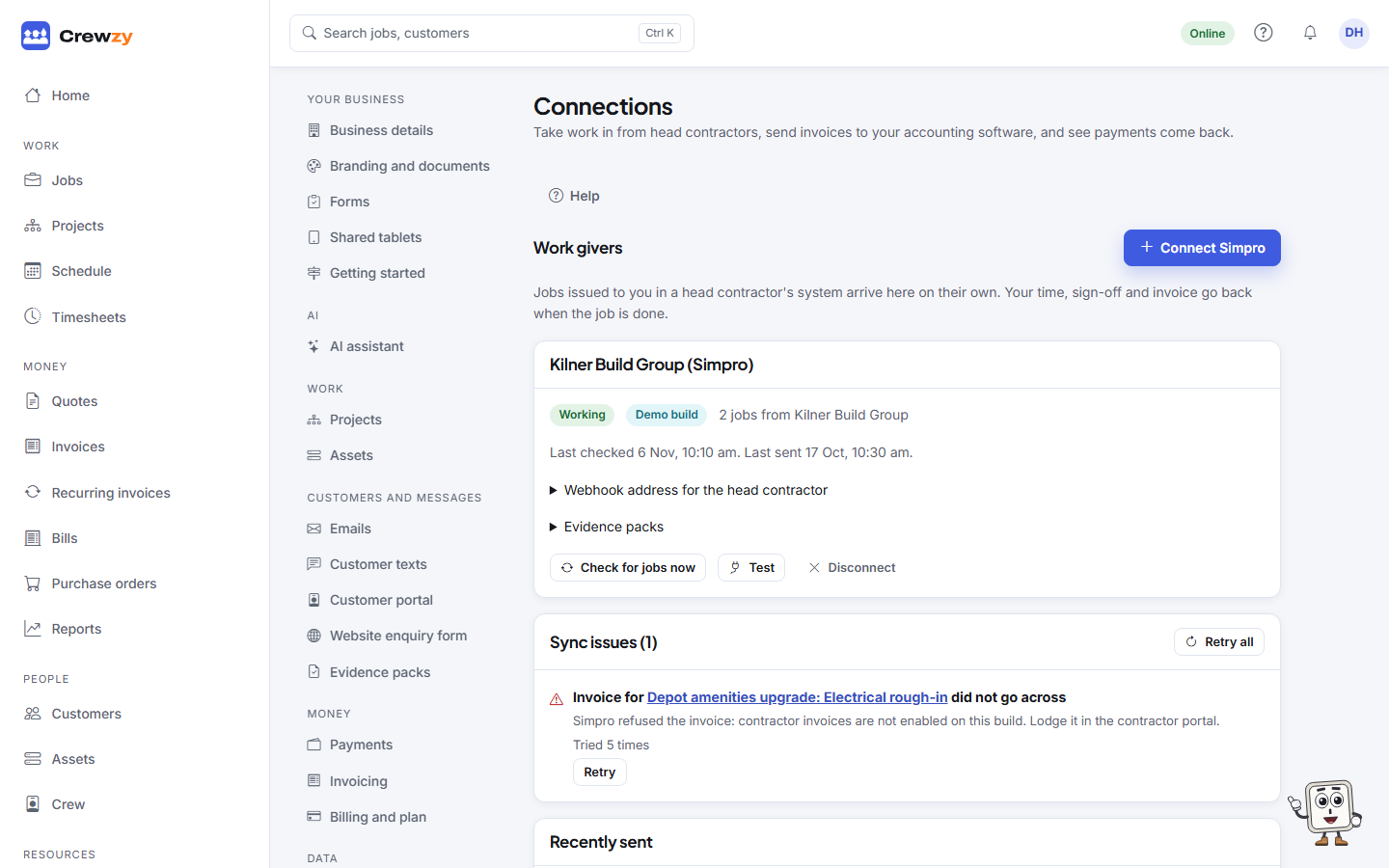
Go to Settings, Connections and press Connect Simpro.
Connect
You need details from the head contractor:
- Head contractor and Their business name
- Simpro address, Company number and Your contractor number
- an API client id and API client secret
Choose which of your customers their jobs belong to, or A new customer, and connect.
What happens then
- Their approved work orders are checked regularly and appear on your board as jobs, tagged connected. Press Check for jobs now to check straight away.
- The details they set on the job cannot be changed here.
- Your time, sign-off and claims are sent back when the job is finished.
- Webhook address for the head contractor: give this to them to add in Simpro, so changes arrive at once instead of on the next check.
If they cancel a job you have already started, the job is flagged for you to talk to them about, under To talk to the work giver about, rather than cancelled underneath you.
To email the head contractor each finished job's evidence pack by itself, open Evidence packs under the connection and tick Email each finished job's evidence pack to this work giver automatically, with the addresses under Send to. See Evidence packs.
Disconnect stops new jobs coming in. Jobs already here stay. Reconnect starts again.