Your home page
What each widget on Home shows, and who sees what.
Home is where the office lands. It is a set of widgets, each answering one question at a glance. Click a widget's figures or items to go to the records behind them.
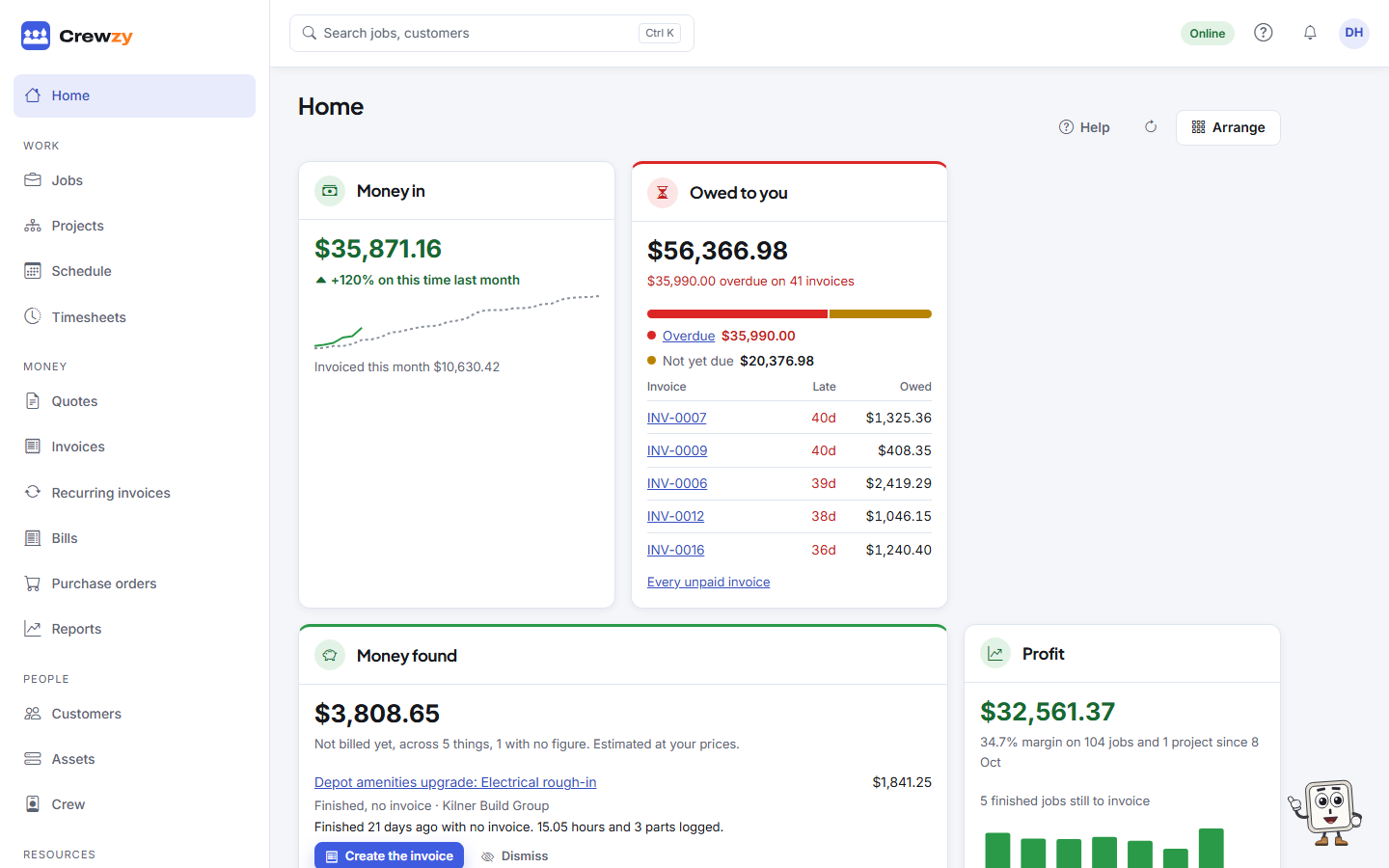
The widgets
| Widget | Shows |
|---|---|
| Getting started | What is left before your first invoice. It hides itself once the needed steps are done |
| Money in | Payments received this month against the same point last month, and what was invoiced |
| Owed to you | What is owing, how much is overdue, and the oldest unpaid invoices |
| Money found | Finished work with no invoice, hours and parts left off an invoice, and project work not claimed, with a button to bill each. See Money found |
| Profit | Profit and margin on jobs and projects over the last 30 days, with the week-by-week trend and how many finished jobs are still to invoice. Jobs count once work starts, and a project counts its progress claims as income. See What counts |
| Quotes | Quotes waiting on the customer, and how many of the last 90 days were won |
| Jobs this week | Jobs due or booked this week, by status. Click a part of the chart to see those jobs |
| Today | What is booked today, and who is on it. Today and the times are your business's, from its time zone |
| Crew this week | Hours booked this week for each person, against a 38-hour week |
| Nobody on it | Open jobs with no one booked |
| Customer questions | Questions on quotes, website enquiries and customers' texts still waiting for a reply |
| Follow-ups | Notes with a follow-up due today or overdue, oldest first, with Done on each. See Notes and follow-ups |
| Needs attention | Anything that did not reach a head contractor or your books |
| Expiring documents | Licences, insurance and certificates expired or due in the next 30 days |
| Unpriced work | Jobs from the last 30 days with hours or parts that have no cost, so their profit is overstated |
| Your plan | Your plan, the trial or renewal date, and what is used of it |
| Claims due | Projects whose claim day is today or within a week, or has passed with no claim |
| Retention to claim | Retention that can be claimed back now or within 30 days |
| Schedules waiting | Progress claims whose payment schedule was due and is not recorded |
A widget with something needing your attention has a coloured band across the top. Claims due, Retention to claim and Schedules waiting only show once your business makes progress claims on projects. See Progress claims.
Reports you pin from Reports or the assistant sit on Home as widgets too. See Ask about your business.
Who sees what
Money in, Owed to you, Profit and Your plan are for owners only. The office sees the rest. Workers do not have a Home page: their phone opens on My Jobs.
Home updates by itself as things change, such as a job being finished or an invoice being paid. Press the refresh button beside Arrange to read it all again.