Ask about your business
Ask the assistant about money owed, bookings, quotes and profit, and open a report built from your question.
The assistant can look things up in your own records. Ask in plain words; it answers in a sentence and links to the jobs, invoices or customers it found.
Things to ask
- "Who owes me money?"
- "What's booked tomorrow?"
- "Which quotes are still waiting?"
- "How much did we make on the Smith job?"
- "Revenue by customer this quarter"
Ask a follow-up, such as "just the overdue ones", and it remembers what you were talking about.
Reports built from your question
When the answer needs a table, chart or statement, the assistant builds a report and offers Open the report:
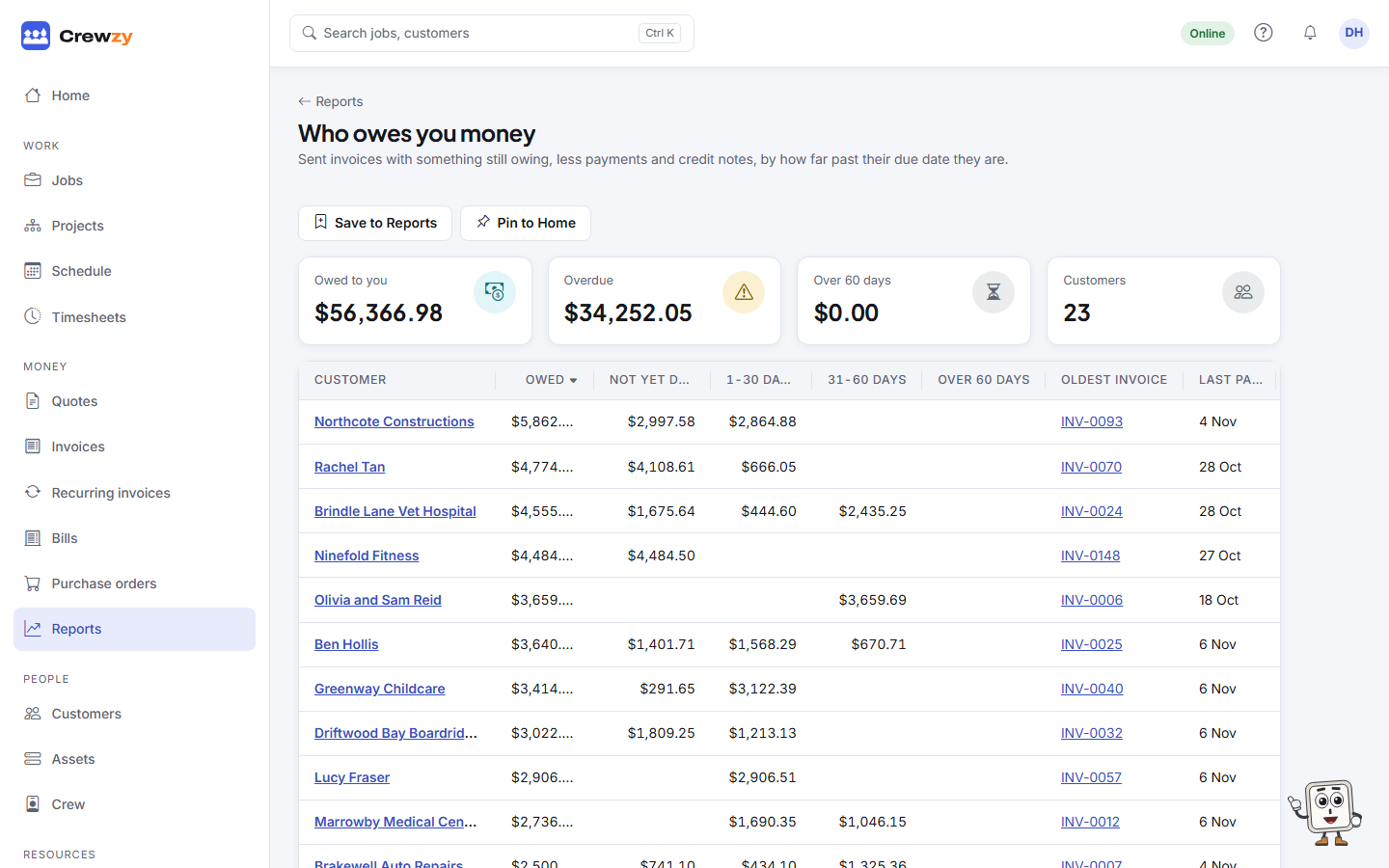
- Who owes you money: customers with the most owed first, split into not yet due, 1-30, 31-60 and over 60 days late. Press a customer to see their invoices.
- Job statement: every invoice, credit note and cost on a job in date order, with the profit so far after each line, then the totals and the quote against what it actually cost.
- Customer statement: invoices, payments and credit notes for one customer, with what they still owe.
- Totals over a period: for example invoices by month, hours by crew member or quotes by status, as a table, bars or a line.
Press Save to Reports to keep a report. It is listed on the Reports page and shows today's numbers each time you open it.
Press Pin to Home to keep a report on your Home page as well. You'll find it on the report page, beside each saved report on the Reports page, and next to the report link in the assistant's answer. A pinned report shows its headline figure and the top few lines, such as the five customers owing the most, with a link to the full report. Pinning only changes your own Home page; up to six reports can be pinned. Move, resize or remove it with Arrange, like any other widget.
Good to know
- It only reads. Nothing is sent, changed or deleted.
- It only answers about your business and using Crewzy: not general questions, and not how to do electrical, gas, plumbing or other regulated work. For that, check the standards or ask a licensed tradie.
- It only shows what your role can see. Crew members can ask how-to questions but not about money.
- Profit leaves out hours with no cost rate and parts with no cost price, and marks them, so the profit can read high until they are filled in.
- Profit counts jobs once work has started, and each project once, with its progress claims as its income, the same as Profit by job. Asked about one job on a project, the assistant says its profit is on the project.
- Each question about your business counts as one AI draft, or two when it builds a report. How-to questions are free.