Job costing and profit by job
What each job and project cost against what it earned, what counts, and how to make the numbers right.
Every job works out what it cost and what it made. Office staff and owners see it; workers never do.
On a job: the Costing card
Open a job and its Time & costs tab to see the Costing card:
- Cost: labour, materials at cost, vehicles and equipment, and other costs
- Invoiced: what has been invoiced before GST. Draft invoices are shown as In draft invoices but not counted
- Profit and Margin, and the quote against the actual sell, cost and margin when the job came from a quote
On a job for a project, or one nobody has started yet, the card shows the costs and a note instead of profit and margin: a project job's profit is on its project, and a job not started does not count yet. A finished job with no invoice sent says so too. See What counts.
Supplier bills costed to the job are listed in the Supplier bills box on the same tab.
Labour is the hours worked at each person's cost per hour, or the business default when a person has none. Materials are counted at the price list's cost price.
Other costs
Press Add cost for anything else the job cost you: a subcontractor, a permit, traffic control, fuel. Attach the receipt from the job's files.
Across jobs: the report
Go to Money, Reports, Profit by job.
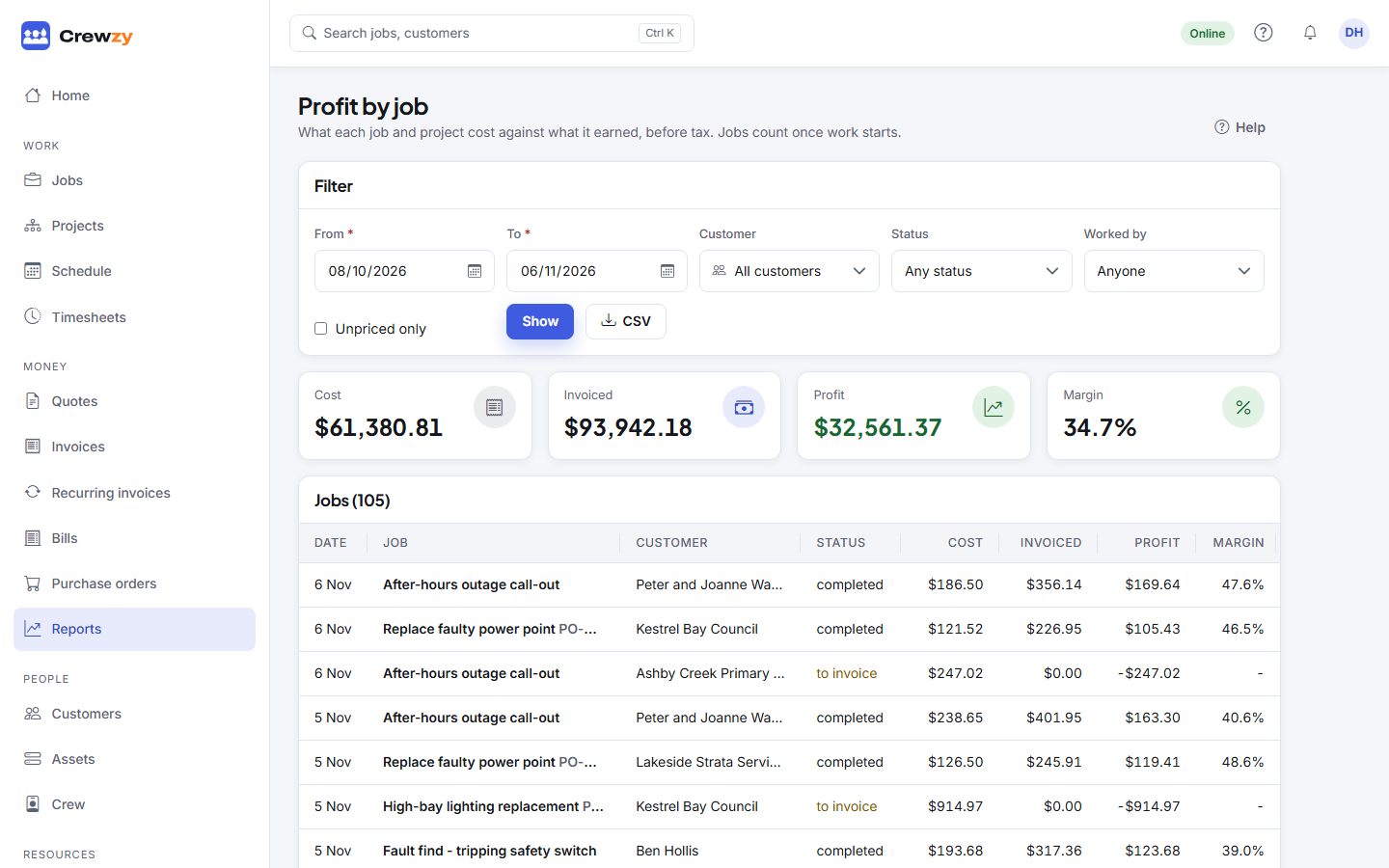
Choose the dates (up to a year), and optionally a Customer, Status or who the job was Worked by. Press Show. You get the totals, then each job with its cost, what it was invoiced and its margin, and each project as one row. CSV downloads the same as a spreadsheet, with a To invoice column.
A job counts on the day it was finished, or the day it was made while it is still open. A project's claims count on the day each was submitted, and bills costed to a stage on the bill's date.
What counts
The same rules apply on the report, its CSV, the Profit widget on Home, the assistant and a project's budget against actual.
- Only work that has started. A job counts once someone logs time on it, uses parts, finishes it, moves it to in progress, or it is invoiced. Until then, nothing on it counts, not even vehicles or equipment booked for it, so a week of booked hire does not show as a loss before the work starts.
- Projects as one row. A project is paid through its progress claims, not invoices on its jobs, so the report shows it once, with its reference such as P-0012 and how many of its jobs count. Its income is what its submitted claims claimed for the work, variations included, before retention: retention is money earned that the customer is holding. A credit note on a claim's invoice comes off, and so does retention the customer keeps. Draft claims do not count, and a retention release adds nothing, because the retention was counted when it was held. Its cost is every started job on it, plus approved bills costed straight to a stage. Click the row to open the project.
- Finished but not invoiced. A finished job with no invoice sent counts, with its costs and no income, and its status reads to invoice. Once you invoice it, the income lands on the day the job was finished, so the week it was done catches up. Home shows how many finished jobs are still to invoice.
Unpriced work
Hours from someone with no cost rate, or materials with no cost price, are flagged as unpriced rather than counted as free. Otherwise a job would look more profitable than it is. The report lists them under Some time or materials have no cost yet, and Home shows them under Unpriced work.
To fix it:
- set each person's Cost per hour under People, Crew, or the business default under Settings, Business details, Costing
- add a Cost price to each item under Resources, Price list