A customer's payment did not go through
What to check when a customer cannot pay online, or a payment is missing.
The customer says they cannot pay online
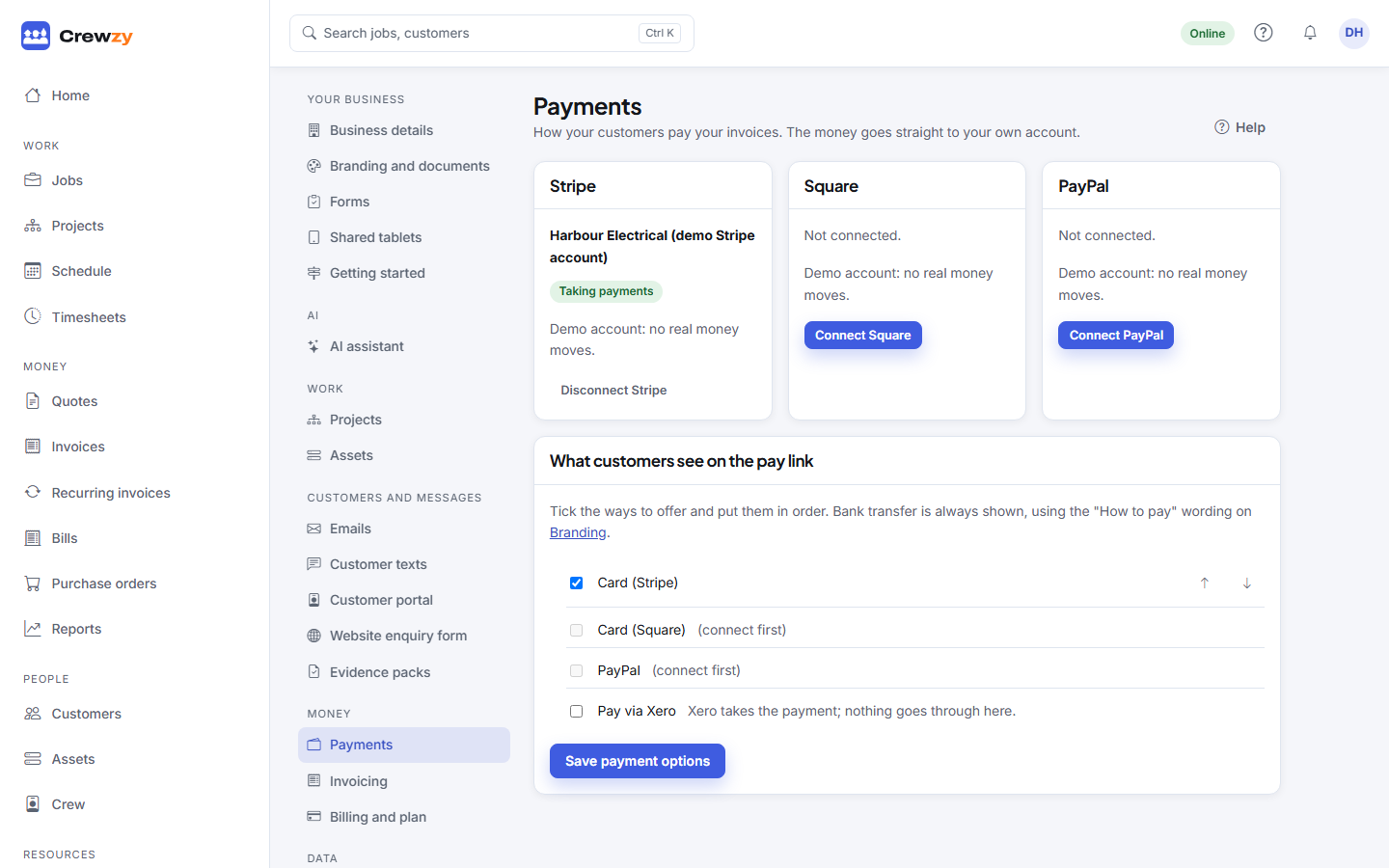
- Check the payment account. Under Settings, Payments, the account should say Taking payments. Setup not finished or Needs attention means the provider wants something from you: press Finish setting up or check their dashboard.
- Check what the pay link offers. Under What customers see on the pay link, make sure the way they want to pay is ticked, and press Save payment options.
- Check the invoice is sent. A draft has no pay link.
- Their card was declined. That is between the customer and their bank. They can try another card, or pay by bank transfer using the details on the pay page.
The customer paid, but the invoice still shows owing
- A card payment is recorded when the provider confirms it, usually within seconds. Refresh the invoice.
- Pay via Xero payments show when Xero reports them to us, which can take longer.
- A bank transfer is not seen automatically. Record it with Record payment, or, if Xero is connected, it comes back when your bookkeeper reconciles it.
A saved card was not charged
See When a saved card payment fails.
Refunds and disputes
The money went to your own Stripe account, or whichever payment account you connected, so refunds and chargebacks are done in that provider's dashboard.