When you see an error
What to do when something goes wrong, and what to send us.
A form will not save
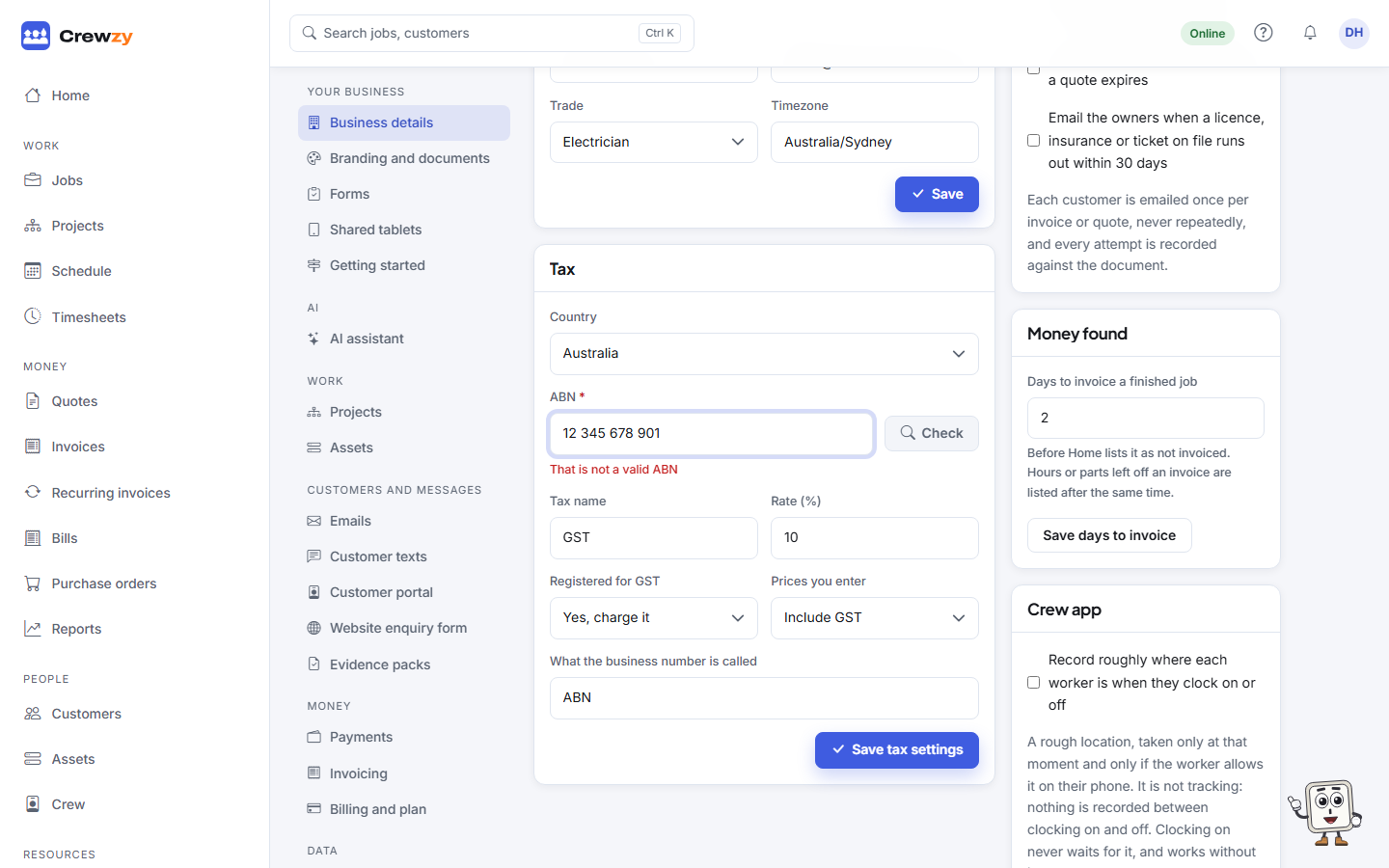
The form says what needs fixing, next to the field. Correct it and save again.
"Something went wrong"
If the app could not do what you asked, the message includes a reference. It points us to exactly what happened.
- Try once more. A dropped connection is the most common cause.
- Check the Online badge at the top of the screen.
- If it keeps happening, press Report this problem under the message, or email support@getcrewzy.com with the reference, what you were doing and roughly when. See Report a problem.
If nothing loads at all, or everyone in the business sees the same message, check the Crewzy status page. It is on our website, apart from the app, so it still works when Crewzy is down, and it says what we know and when we expect it fixed. Job photos, notes, materials and dockets your crew add on their phones while Crewzy is down wait on the phone and are sent when it is back.
We can look into your business to help, read only and for 30 minutes at most. Owners are told when we do, and every look is listed under Support access on Settings, Business details.
Offline
If the badge says Offline, changes on the phone wait and send later. In the office, reconnect before saving.