Documents and expiry dates
File licences, insurance, plans and paperwork once, find them anywhere, and hear before they expire.
Documents are filed once and can sit on several things at once: a certificate can be on the job, the customer and the site. Every record that can hold documents has a Documents or Files card: jobs, quotes, invoices, customers, sites, crew members, time entries and vehicles.
Add a document
Open the record it belongs to and drag the file onto its Documents or Files card, or press the card to choose it. PDFs, photos, Office documents, CSV and text files, up to 25 MB each.
The register
Go to Resources, Documents to see every document in the business in one list.
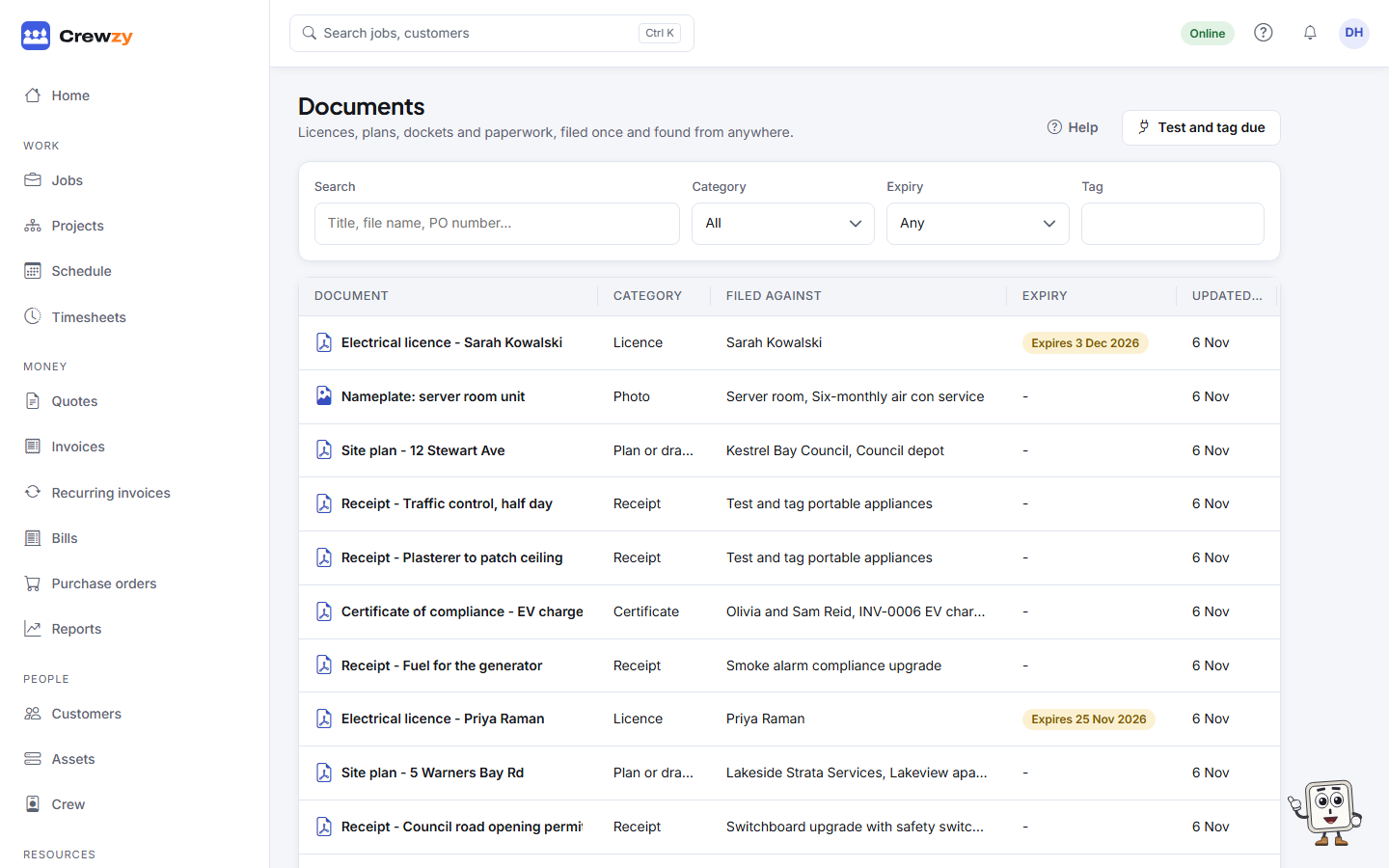
- Search by name, and filter by Category, Tag and Expiry: expired, or within 30 days.
- Click a document to see what it is filed against, change its details, add more links, or remove it.
- Upload a new version keeps the old versions. An identical copy is refused.
Expiry dates
Give a document an expiry date, such as a licence or an insurance certificate, and:
- it shows on Home under Expiring documents when it is expired or due within 30 days
- a notice appears on the jobs screen
- owners can be emailed before it runs out: tick Email the owners when a licence, insurance or ticket on file runs out within 30 days under Settings, Business details, Chasing customers
Who sees what
The office sees every document. A worker sees and adds documents on their own jobs and their own record only.