Repeating jobs
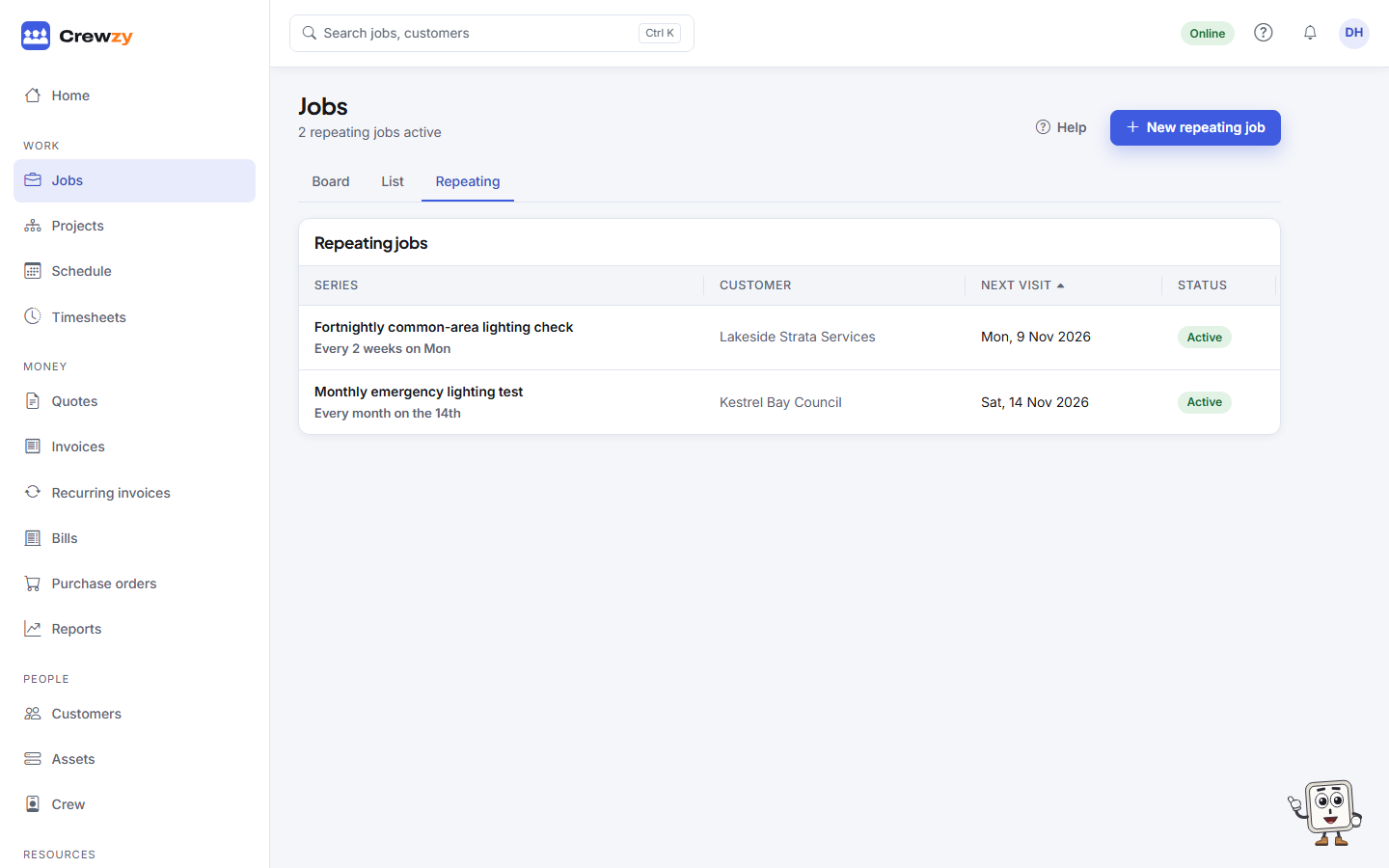
Work that comes round on a schedule, made on the board ahead of time by itself.
A repeating job is a template and a schedule, such as "emergency lighting test, first Monday of every month". Each visit is made as an ordinary job on the board, ahead of time, so it can be booked and assigned like any other.
Go to Work, Jobs, Repeating.
Set one up
Press New repeating job, or tick Repeat this job on the New job form, or press Make recurring on an existing job (that job becomes the first visit).
Choose how it Repeats:
- Daily, every so many days
- Weekly, on the weekdays you pick
- Monthly, on the same day as the first visit, or the Last day of each month. A visit on the 31st falls on the last day of a shorter month.
- Yearly
Then set the First visit, a Time of day and how long it Takes, and when it Ends: never, on a date, or after a number of visits. Make jobs this many days ahead says how far ahead visits appear on the board (30 days unless you change it). The next visit is always made, however far off.
The crew, the vehicles or equipment, and any items on the template are copied to each visit.
Change one
Open the series and use the buttons at the top:
- Edit changes the template. You are asked whether to bring the upcoming visits into line. Visits that already have time recorded are never changed.
- Make jobs now makes any visits due within the horizon straight away.
- Pause stops new visits being made. Resume starts them again.
- End stops the series for good. Jobs already made stay on the board.
Under Upcoming visits, press Skip on a single visit to leave it out, and Bring back to put it back.
On the Unlimited plan, a site's repeating job can also put the site's units due on each visit: see A repeating job with the site's units.