Credit an invoice, and record a refund
Take some or all of a sent invoice off with a credit note, and write down money handed back.
A credit note takes money off an invoice that has already gone out. The invoice itself is not changed. The credit note is its own document, numbered CN-0001, CN-0002 and so on, with the same GST treatment as the invoice.
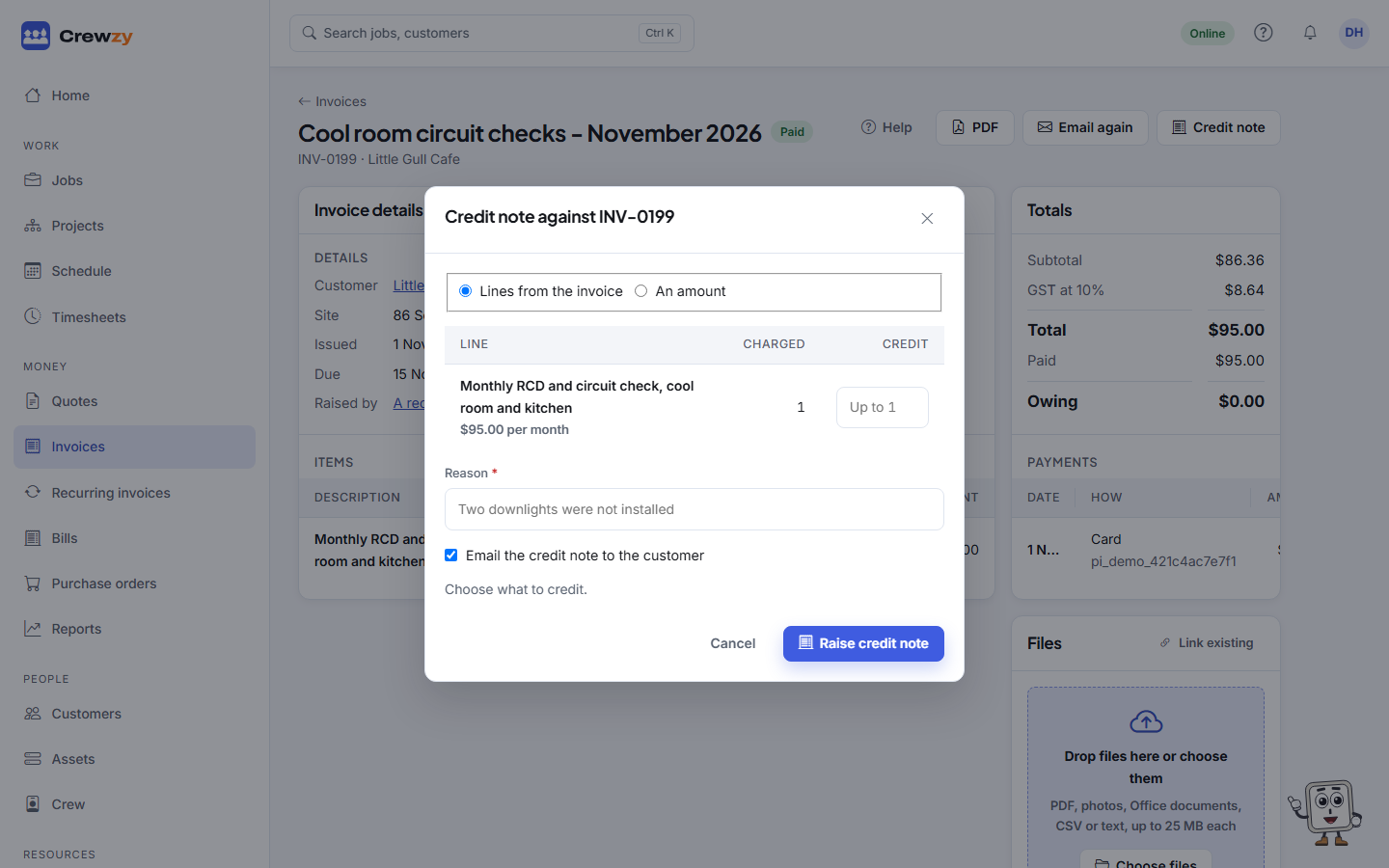
Use one when the customer was charged for something they did not get, or you want to give them money back. If nothing has been paid yet and the whole invoice is wrong, it is simpler to void it.
Raise a credit note
- Open the invoice and press Credit note.
- Choose what to credit: - Lines from the invoice: type how many of each line to credit. You cannot credit more than was charged, counting earlier credit notes. - An amount: type the amount to take off, including GST.
- Type the Reason, such as "Two downlights were not installed". It prints on the credit note.
- Leave Email the credit note to the customer ticked to send it with the PDF.
- Press Raise credit note.
The total is worked out as you type. If the credit would be more than is left on the invoice, the form says so before you raise it.
The credit comes straight off what the customer owes, and off the reports and the home page. An invoice credited in full shows as credited. If Xero is connected, the credit note goes there too, applied to the invoice.
Every credit note is listed on the invoice in the Credit notes box, with its PDF and an Email button to send it again.
Record a refund
When the customer had already paid, a credit note leaves them owed money. The invoice shows Owed to the customer.
- Make the refund in your bank or your card provider's dashboard first. The app does not move the money.
- On the invoice, under Credit notes, press Record refund.
- Check the Amount, How it was paid back and the Date, and add the bank Reference.
- Press Record (the button shows the amount refunded).
You can only record a refund for money the customer actually overpaid. Once it is recorded, the invoice balances to nothing.