Record a payment by hand
Record bank transfers, cash and cheques, including part payments.
When a customer pays by bank transfer, cash or cheque, record it on the invoice.
- Open the sent invoice and press Record payment.
- Check the Amount. It starts at what is owing. Change it for a part payment.
- Set the Date and How it was paid: bank transfer, card, cash, cheque or other.
- Add a Reference, such as the bank reference or receipt number.
- Leave Email the customer a receipt ticked to send them one.
- Press Record (the button shows the amount, such as Record $1,250.00).
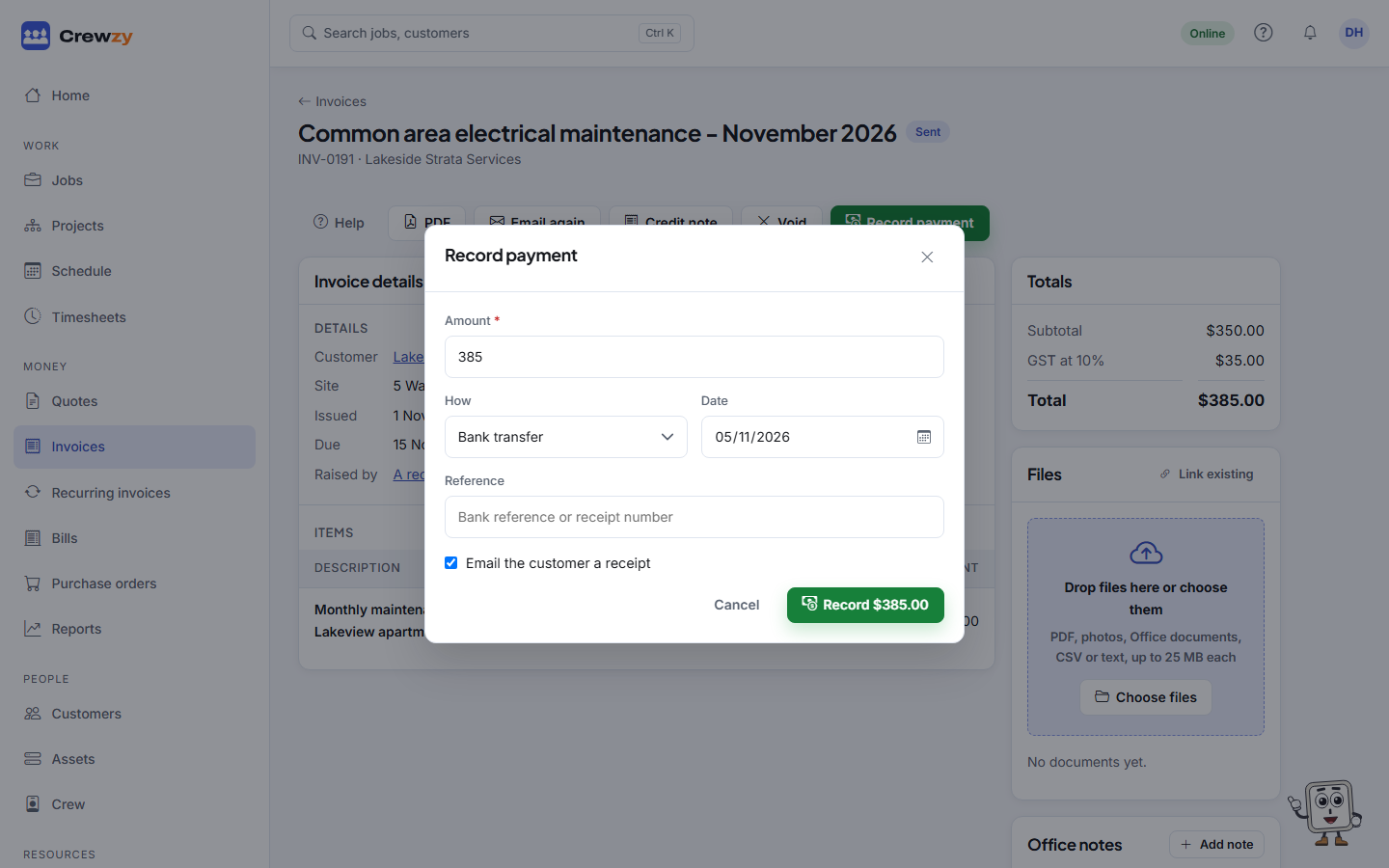
The invoice shows part paid until the whole amount is in, then paid. The Payments list, in the Totals box on the invoice, shows every payment. Remove one recorded by mistake with its bin button.
If Xero is connected
Payments go both ways. A payment you record here goes to your books, and a payment your bookkeeper reconciles in Xero comes back here by itself. So you do not need to record a payment in both places.