Ask the assistant
Ask your assistant how to do something, or about your business, and get an answer with links.
The assistant sits in the bottom-right corner of every office screen. Ask it how to do something in Crewzy, or about your business, in your own words.
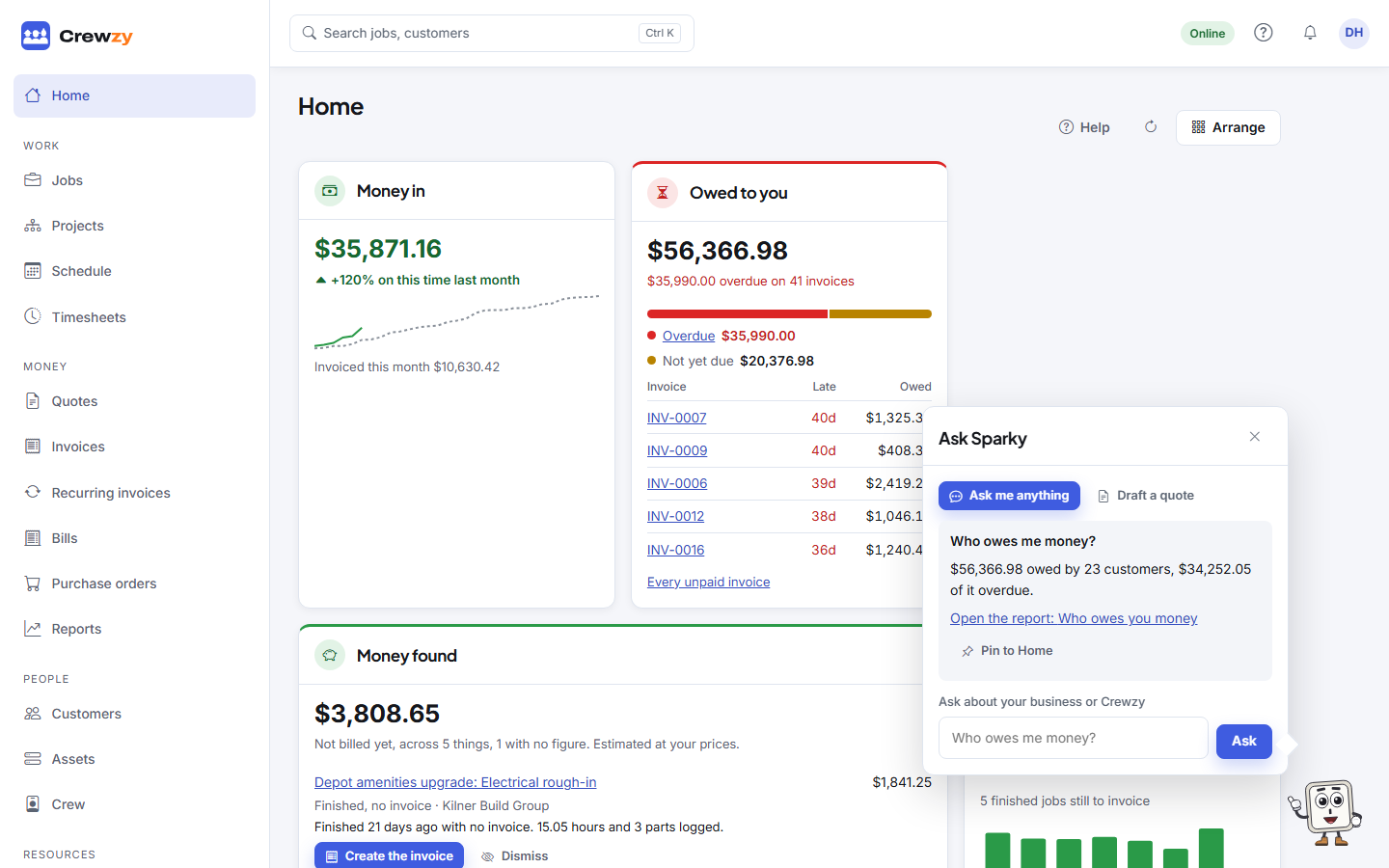
Ask a question
- Press the assistant in the corner, or press Ctrl and / together.
- Type your question, for example "How do I void an invoice?", and press Ask.
- Read the answer. Under it are the guides and records it came from; open one for the full steps.
Ask a follow-up straight away: it remembers the last few questions. Press Escape or the cross to close it. Your page stays as it was underneath.
What it can and cannot do
- How-to questions are answered from these help guides. If they do not cover something, it says so rather than guessing.
- Questions about your business, such as who owes you money, are answered from your own records. See Ask about your business.
- It never changes anything by itself. Ask it to do something, such as make a job, and it shows a card of what it would do and waits for you to press Confirm. See Get the assistant to do things.
- For something you do on a screen, such as connecting Xero, uploading your logo or voiding an invoice, the answer has a Show me button. See Show me below.
- It can only see and do what you could yourself.
- It only helps with your business and using Crewzy. It won't answer general questions, or say how to do electrical, gas, plumbing or other regulated work.
- How-to questions are free on every plan.
Show me
Ask how to do something that happens on a screen, and the answer comes with a Show me button. Press it and the assistant opens the screen, on the invoice or job you are looking at if it is about one, and points at each thing to press or fill in, one step at a time. For example:
- "How do I connect Xero?" or "How do I take card payments?"
- "How do I upload my logo?" or "Import my customers from a spreadsheet"
- "Invite Dave to the crew"
- "Void this invoice", "Record a refund" or "Record the retention they kept"
- "Change Dave to an office role"
Move on with Next, or by doing the step yourself when it asks you to press something. Press Stop showing me, or press Escape, to leave at any time. If something it points at is hidden from you, it says so.
The assistant only ever walks you to a void, a write-off, a refund, a saved card, a role or your plan; you press the last button yourself. Show me is free on every plan.
More than questions
On some screens, buttons across the top of the bubble offer what the assistant can do there, beside Ask me anything:
| Where | What it offers |
|---|---|
| A job | Draft the invoice for this job, Draft a job sheet from notes, Add a supplier bill, Fill a form for this job |
| A quote | Suggest a reply |
| Home and Quotes | Draft a quote |
| Bills | Add a supplier bill |
| Settings, Import | Help me switch |
You can also ask on the front page of the help centre, even when you are not signed in.
Your crew have an assistant of their own on the phone, held to the jobs they are booked on. See Ask the assistant on a job.