Fill a form on site
Checklists, SWMS and test records on your phone, even with no signal.
The forms for a job are on the job, under Forms. Fill them in on your phone as you go.
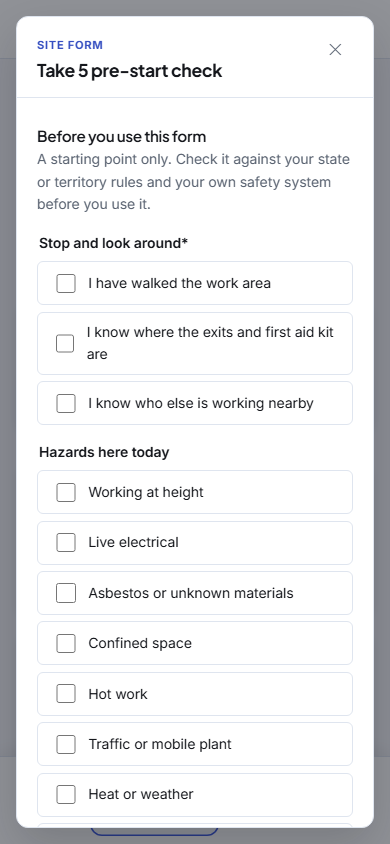
Fill it in
- Open the job and tap the form's button, such as Fill in Take 5 pre-start check.
- Answer the questions. Some only appear once you have answered another one.
- Add photos with Add a photo, and sign with your finger. On a SWMS everyone working signs, one after another.
- Tap Submit.
Everything you type is kept on the phone as you go. Tap Save and close to come back to it later.
A question marked with a star needs an answer before the form can be submitted. Anything missing is pointed out when you tap Submit.
No signal
Fill the form in as normal and tap Submit. It waits on the phone and goes when you have signal again, like the rest of your work.
Once it is submitted
The form is locked and a PDF of it is filed with the job. To fix a mistake, tap Amend and say why. The form reopens with your answers, and the change is kept on the job's history.
Forms needed to finish
Some forms must be done before a job can be finished. If you try to finish first, you are told which form is still to do.