What your customer sees, and accepting online
The quote link your customer opens, and how they accept, decline or ask a question.
Every sent quote has its own private link. Your customer does not need an account to open it.
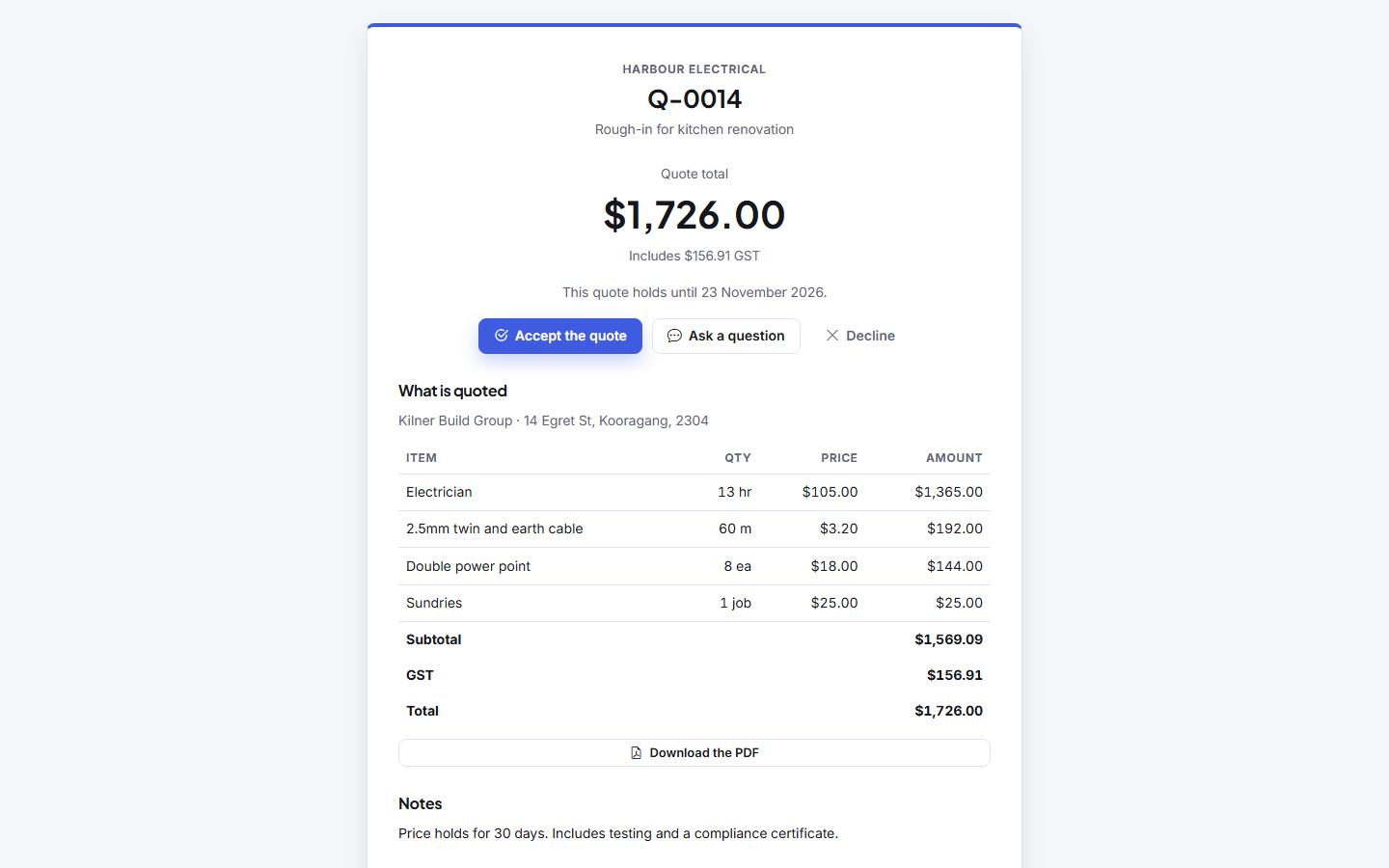
What is on it
- your logo and business details
- What is quoted, line by line, and the Quote total
- on a quote with options, each option side by side with its total, and any optional extras to tick. The total at the top follows what they choose. See Options and optional lines
- your notes and terms
- any files you chose to show them
What the customer can do
- Accept the quote: they type their name, optionally their reference or PO number, and sign, confirming your terms.
- Decline the quote: with a reason if they want to give one.
- Ask a question: with the best phone or email to reach them.
Each answer is kept on the quote under Customer responses and emailed to your owners and office. It also shows on Home under Customer questions.
What accepting does not do
Accepting does not create a job by itself. You decide when to turn it into one. See Turn a quote into a job.