Retention held and released
See the retention a builder holds from your claims, record practical completion and the defects liability period, and claim the retention back.
A builder usually holds back part of each progress claim as security for your work, often 5% or 10% of each claim up to 5% of the contract. It is your money: you get it back by claiming it, usually half at practical completion and the rest when the defects liability period ends. Retention left unclaimed is easy to forget, so the project keeps a ledger of it.
The retention ledger
Open the project and choose the Retention tab. The Retention held box adds it up:
- Held on claims: what the builder has held back from your progress claims so far, less anything a correction gave back.
- Released: what you have claimed back.
- Kept by the customer: anything the builder kept, for example to fix a defect.
- Still held: what is left to claim.
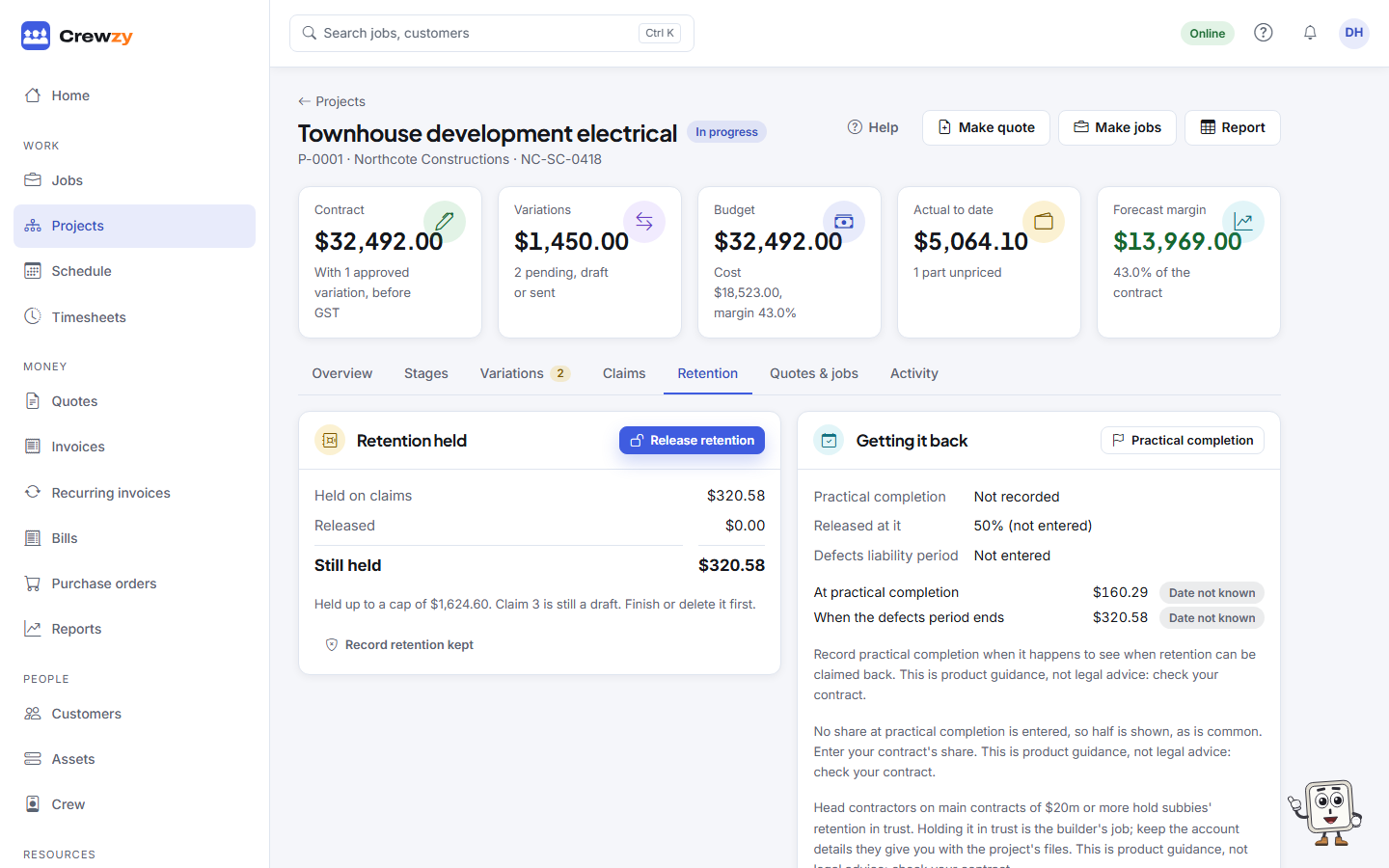
Held on claims is always released, kept and still held added together. The Retention ledger box below lists every movement with its date and the claim it came from, and what was still held after it. Report on that box opens the retention ledger report, which can also list the retention on every project. Each progress claim adds its retention when it is submitted. A correction that lowers the work done to date gives back the retention on what it took off, shown as Given back.
Set the retention rate and cap with Set retention (or Change) on the Retention and invoicing box of the Claims tab. See Progress claims.
Practical completion and the defects period
When the work reaches practical completion, press Practical completion on the Getting it back box (it says Change once a day is recorded) and enter:
- the day of practical completion, from the certificate,
- the share of the retention released at practical completion (half is common; check your contract),
- the defects liability period, in months from practical completion (12 is common) or the day it ends.
The box then lists each part with when it can be claimed back, marked Not yet, Due soon, Can be claimed or Claimed, and the page warns you when one can be claimed now or is coming up within 30 days. You are told in the bell 30 days before and again on the day, and Home lists it under Retention to claim. These dates are guides from the terms you entered: check your contract.
In Victoria, from 15 April 2026 the security of payment Act gives its own right to have retention released: if your contract says nothing about releasing it, you can claim its release 20 business days after the defects liability period ends, and it is due within 10 business days of your claim, and no later than 20. The box shows that date for a Victorian project. In Western Australia, New South Wales (head contracts of $20 million or more) and Queensland (larger contracts), the builder may have to hold retention in a trust account. That is the builder's job; keep the account details they give you with the project's files.
This is product guidance, not legal advice: check your contract.
Claim it back
Press Release retention on the Retention held box and enter the Amount to release, up to what is still held. The amount offered is what can be claimed now. Start the release makes a claim of its own, numbered with your progress claims, as a draft on the Claims tab. Check it, change the amount if you need to, then Mark submitted or Email claim as for any claim. While the release is a draft, the Retention held box shows Open the draft release in place of Release retention.
The release is your tax invoice for the retention released, plus GST, numbered in your invoice series: the progress claims invoiced only the amount after retention, so GST on the retention is charged when it is released. It is headed Tax Invoice INV-0042 with Retention release, Claim 5 under it. It goes into Invoices and to Xero like any claim, and you are paid and remind the builder in the same way. If you are not registered for GST it is a plain invoice with no GST.
If the builder issues recipient-created tax invoices on the project, the release is a payment claim, not a tax invoice, and you record the builder's RCTI against it when it arrives. See Payment schedules, invoices and RCTIs.
You cannot release more than is still held. Once retention has been released, a later correction cannot give back more than is still held either.
Retention the builder keeps
If the builder keeps some of the retention, for example to pay someone else to fix a defect, press Record retention kept on the Retention held box, and enter the Amount kept, the day it was Kept on and Why. Press Record. It comes off what is still held.
Showing retention on the invoice
Each claim is invoiced for the amount after retention, and retention is invoiced when it is released. Invoicing the gross amount with a "Less retention held" line instead is coming soon.