The jobs list
Search, filter and sort every job, a page at a time.
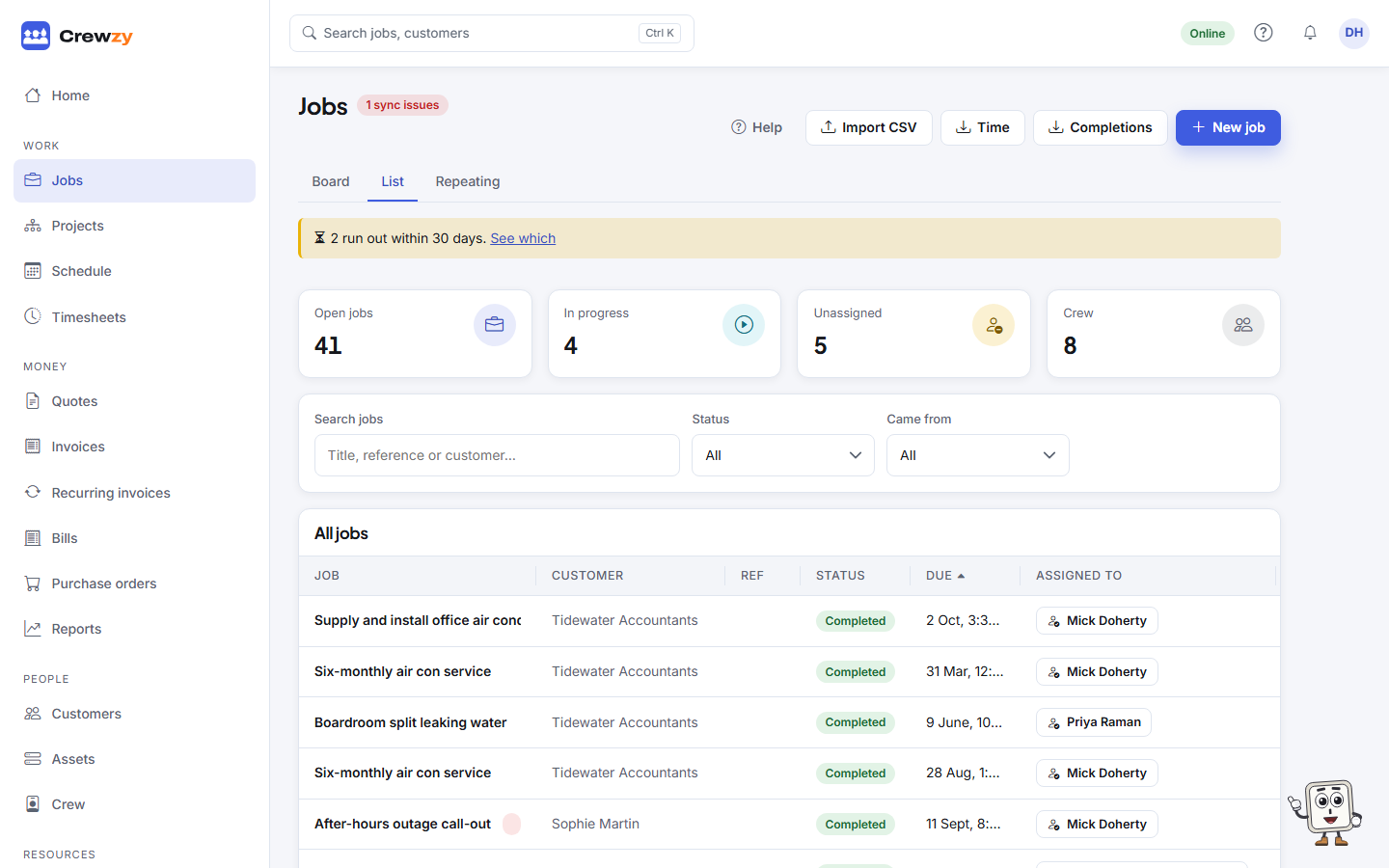
Go to Work, Jobs, List. The list is the place to find a job from months ago, or to work through everything with one status.
Find a job
- Type in Search jobs to find a job by its title, reference or customer. The list updates when you stop typing.
- Pick a Status to see only those jobs. Open shows everything not yet finished.
- Pick Came from to see only the jobs Added in Crewzy, from a Head contractor, or from your Website enquiry form.
- Click a column heading to sort by it. Click it again to reverse the order.
The page shows 25 jobs at a time. Use the page numbers at the bottom to move through them, or choose 50 or 100 rows per page. Your choice is remembered on this device.
Your search, filter, sort and page are kept in the address, so the browser's Back button, a refresh or a link you send someone lands on the same list.
From the list
- Click a row to open the job.
- Press the button in the Assigned to column to change who is on it.