Create your business
Sign up, find your business on the register and start your free trial.
When you first sign in, you are asked to set up the business you run. If someone has invited you to their business instead, their invitation shows on the same screen and you can join it.
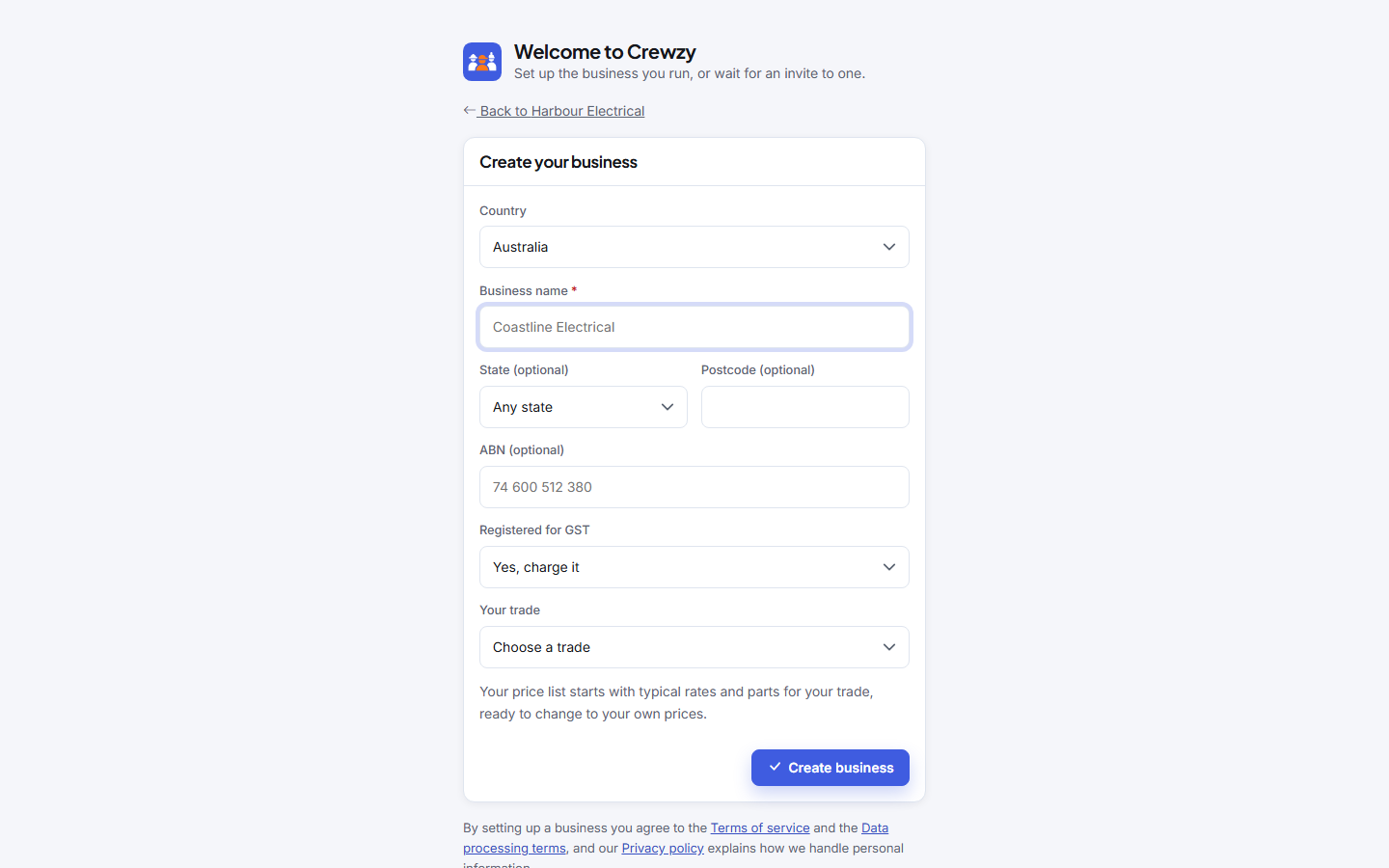
Set it up
- Type your Business name the way it appears on your invoices.
- In Australia, matching businesses from the Australian Business Register appear under Matching businesses. Pick yours and your ABN, legal name and GST registration are filled in for you. If there are lots of matches, narrow them with State and Postcode.
- If your business is not on the register yet, type the ABN yourself, or leave it for later, and say whether you are Registered for GST. In New Zealand, type your GST (IRD) number instead.
- Choose Your trade: electrician, plumber, carpenter, handyman, painting, landscaping, IT and web services, air conditioning, tiling, cleaning, roofing, fire protection, or something else. Your price list starts with typical rates, parts and services for that trade, each marked as a starter price until you change it. You can change the trade later under Settings, Business details; that doesn't change your price list.
- Press Create business.
You land on Home, with a Getting started link at the top of the menu showing how much of the setup is left.
Your free trial
Every new business starts on a 30-day trial with everything turned on. You do not need a card to start. Choose a plan whenever you are ready under Settings, Billing and plan.
If the tax number is refused
An Australian ABN must pass the checksum the tax office uses. If you get "That ABN does not pass the checksum", check the digits against your ABN record, or leave it empty and add it later under Settings, Business details.
In New Zealand, the GST (IRD) number is checked the way Inland Revenue checks it. If you get "That GST (IRD) number does not pass the check", compare it with your myIR account or GST registration letter.