Record supplier bills
Turn a photo or PDF of a supplier's bill into what each job really cost.
A supplier bill in Crewzy is what you were charged for the parts and materials on your jobs. Once you approve one, the jobs it is for cost what you really paid, so the profit on each job is right.
Go to Money, Bills. The page is called Supplier bills, and To check at the top counts the bills waiting for you.
Upload a bill
- Press Upload a bill and choose a photo or PDF of the bill. You can also press Add a bill on the Supplier bills box of a job's Time & costs tab, or ask the assistant to Add a supplier bill.
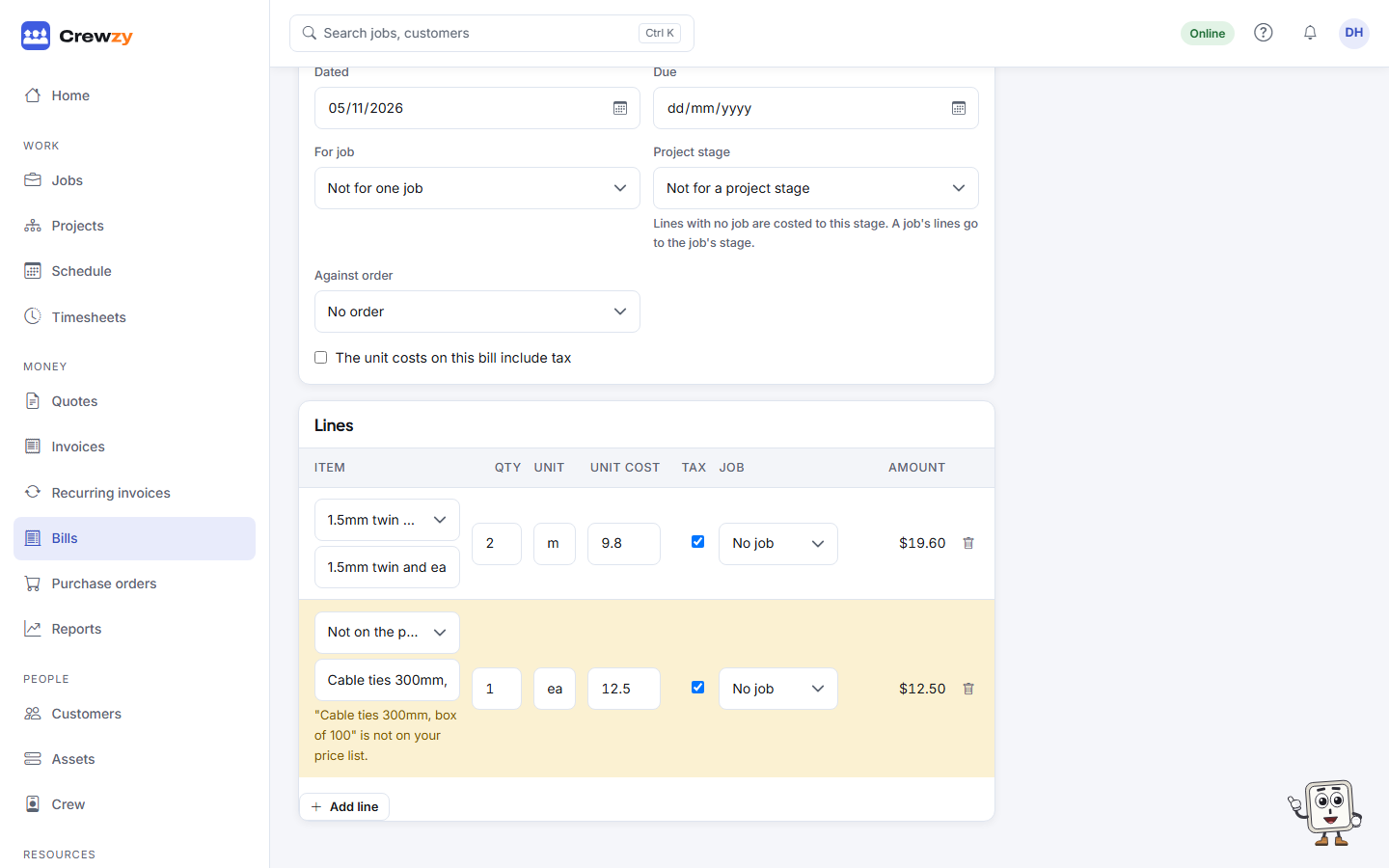
- The bill is read into a draft: the supplier and their details, the bill number and date, and each line with its quantity and cost. Lines that are clearly on your price list are matched to it.
- Check the draft. Anything that needs a look is marked: a supplier you have not added yet (see below), a line that is not on your price list, totals that do not add up, or a bill already filed under the same number.
- Put right anything that was misread, choose the job for each line, and press Save.
- Press Approve.
Nothing changes on a job until you approve the bill. If reading is switched off or not available, the file is still saved and the draft is left for you to type in. With no file at all, press Type in a bill. Throw away deletes a draft you do not need.
Who the bill is from
The Supplier on the bill box says who the bill is from and how Crewzy knows:
- Matched by ABN: the ABN printed on the bill is the same as one of your suppliers'. This is checked first, so it wins even if the name is printed differently.
- Matched by name: no ABN matched, but the name did, ignoring capitals, punctuation and endings like "Pty Ltd". If two of your suppliers have the same name, neither is chosen and you pick.
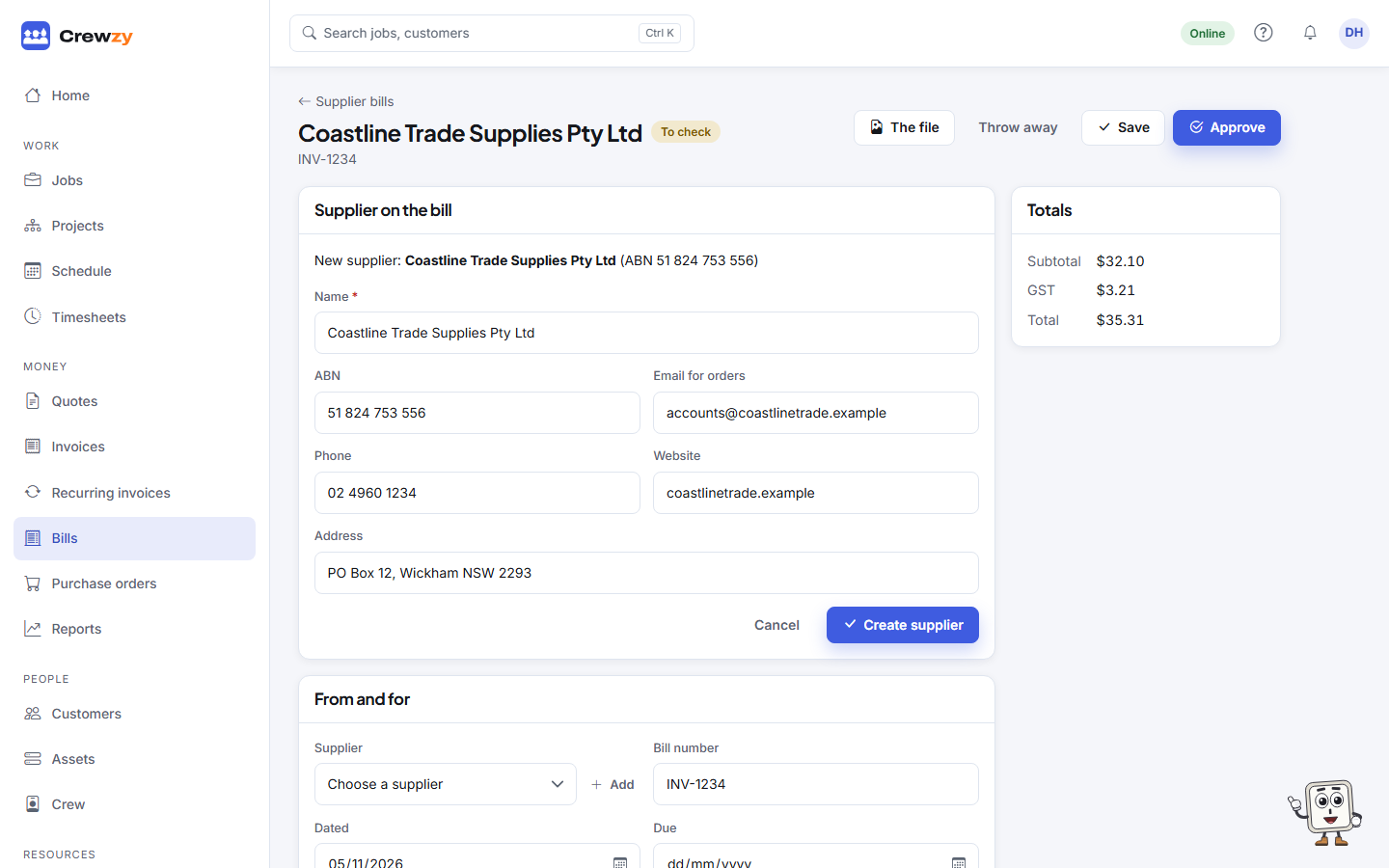
If the supplier is not one of yours yet, the box shows New supplier, their name and ABN, and the email, phone, address and website printed on the bill. Nothing is added until you say so:
- Press Create supplier. The details it will save appear, ready to correct.
- Press Create supplier again. The supplier is added and the bill is linked to them. Anything you had already changed on the draft is saved too.
If they are already on your list under another name, type in Or pick an existing supplier and choose them instead. If the bill shows details that supplier has blank, such as an email or phone, you can tick the ones to fill in and press Fill in, or press No thanks. Nothing already on the supplier is changed.
The ABN is checked before it is used. If the number on the bill is not a valid ABN, you are warned, and it is kept in the supplier's notes instead of being saved as their ABN.
Adding a supplier needs the same access as the Suppliers page. Someone without it sees the suggestion, and the button asks them to get the office to add the supplier.
What approving does
- A part on your price list that was already on the job takes the cost from the bill.
- A part on your price list that was not on the job is added to it, at your sell price, so it is invoiced.
- Anything not on your price list, such as fuel or a hire, is added to the job as a cost. It is not charged to the customer.
- For each matched part whose cost has changed, you can tick Update the cost price to bring your price list up to date.
- If Xero is connected, the bill is sent there as a bill to pay. A supplier added from a bill goes to Xero with it, as a contact, the first time one of their bills is approved. If Xero already has a contact by the same name, the bill goes to that contact instead of a new one.
An approved bill stays on record and cannot be changed here. If it was wrong, correct it in your accounting software.
Dockets from site
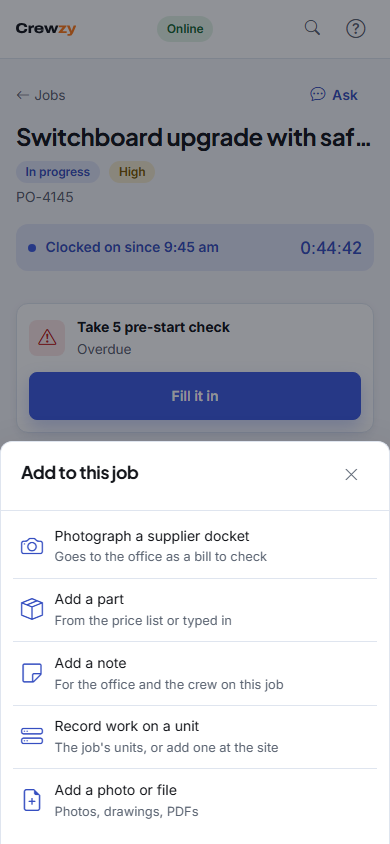
Your crew can tap Add, then Photograph a supplier docket, on a job on their phone. It goes to the office as a draft bill for that job, and waits on the phone if there is no signal. The crew never see what anything cost, and never add suppliers: a docket from a supplier you have not added yet shows the office the New supplier suggestion when it checks the draft.